In my Interface Design course (IAT334) at Simon Fraser University, I undertook a project that deeply resonated with the challenges faced by older individuals in forming connections. This UX/UI project was an exercise in empathy and innovation, aiming to alleviate loneliness among the elderly. I developed an application tailored for older individuals seeking new experiences and companionship. The app curates and showcases events from extreme sports and unique experience businesses in British Columbia, targeting not only individuals yearning to fulfill their personal bucket lists but also businesses seeking new clientele. This project required me to delve into user-centric design, creating an interface that is both intuitive and engaging for an older demographic. It involved meticulous attention to detail, from the initial concept to the final presentation, ensuring every aspect of the design was refined and user-friendly. This experience allowed me to enhance my skills in the design process, particularly in exploring design options, incorporating user feedback, and creating aesthetically pleasing, informative interfaces that address specific user needs, culminating in a polished and impactful product.
A significant number of older individuals face challenges in establishing social connections, leading to a sense of loneliness, particularly in the context of personal travel, engaging in activities, or embarking on adventures. This project aims to address this issue by fostering a community among elderly individuals through shared experiences and activities.
The solution involves developing an application that not only connects these individuals with one another but also introduces them to a range of events and unique experiences, primarily offered by businesses in British Columbia. This approach not only aids in reducing feelings of isolation among older people but also provides a platform for businesses to reach an audience they might not have previously accessed.
Introduction
problem statement & solution
Design Process
This project was done with teammates, Shallyn and Kathy.
Main Roles:
Jihoon - Design, Mockups, Revisions
Shallyn - Design, Revisions
Kathy - User Research and User Testing
Tools:
Figma, Adobe InDesign, Protopie, Discord, Google Docs
Timeframe:
4 weeks
Objectives:
Develop a user-friendly and engaging application to connect older individuals seeking new experiences and companionship.
Create a minimalistic yet intuitive design that resonates with the elderly demographic, making technology accessible and easy to navigate.
Showcase a wide range of events and activities from extreme sports and unique experience businesses in British Columbia, tailored to the interests and capabilities of older users.
Facilitate the creation and completion of personal bucket lists for users, enhancing their sense of achievement and fulfillment.
Foster social connections among older individuals, helping them find companions for travel, activities, and adventures, thereby reducing feelings of loneliness.
Provide a platform for businesses to reach a new and previously untapped customer base, leading to mutual benefits for both users and service providers.
Incorporate user feedback into the design process to continuously improve the application’s usability and appeal.
In the course of our user research, two critical interviews significantly influenced the direction of our application, substantiating our problem statement and shaping our approach.
The first interview was with an elderly woman who had recently lost her partner. During her first solo vacation afterward, she expressed a profound sense of loneliness while exploring alone, highlighting the emotional impact of her situation.
The second interview featured an elderly man who had recently moved to British Columbia as an immigrant. He faced challenges in communicating in English and found it difficult to form friendships in his new surroundings. These encounters were pivotal in understanding the unique needs and struggles faced by our target user group.
User research
Typical user age range
65-75
Qualities they looked for
Communication platform, Social Needs and Preferences, Cultural Sensitivity, Emotional Resilience, Safety and Security, Social Support Networks.

Bucket-list app
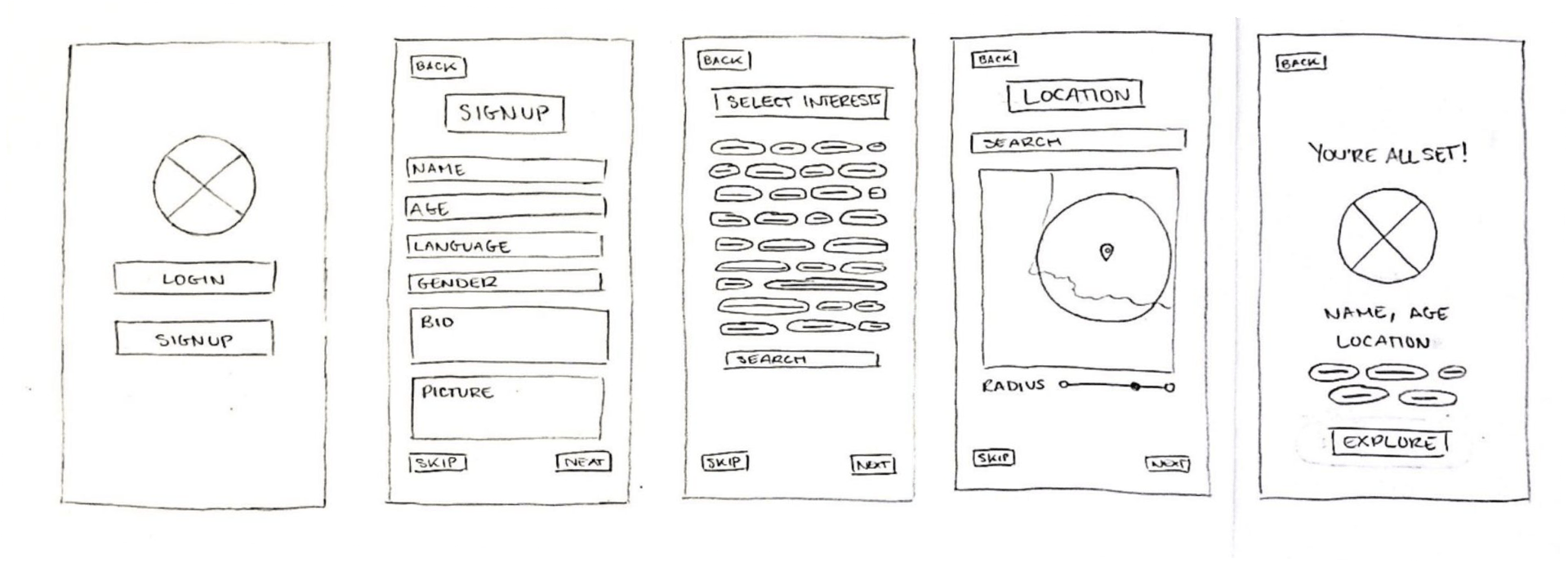
As we progressed with our research and refined the aim and function of our application, we initiated the creation of wireframes to visualize the layout more effectively.
These preliminary sketches reinforced our initial thoughts about steering clear of a social media-style design, recognizing that such a complex and cluttered layout might be overwhelming and perplexing for our target age group.
Initial sketches
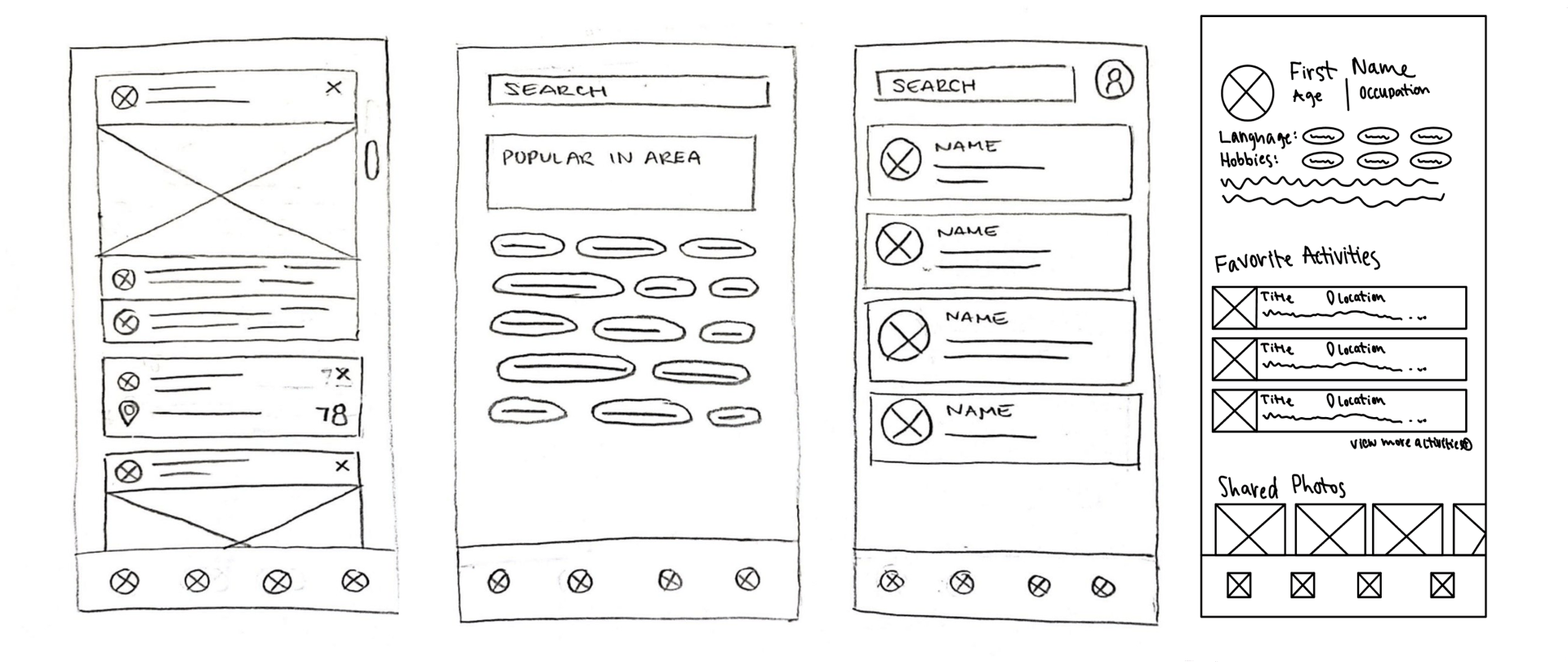
The target audience for our design comprises active retirees who enjoy outdoor adventures and have ample time for travel. This group includes individuals aged 65 and above who are eager to explore new destinations, socialize with new acquaintances, fulfill their bucket list aspirations, savor different cuisines, and dedicate more time to their hobbies.
Key aspects of the design include:
1.Facilitating connections among people with shared interests.
2.Providing resources to discover new locations for activities such as swimming, kayaking, hiking, and camping.
3.Enhancing knowledge about existing hobbies and introducing opportunities to discover new ones.
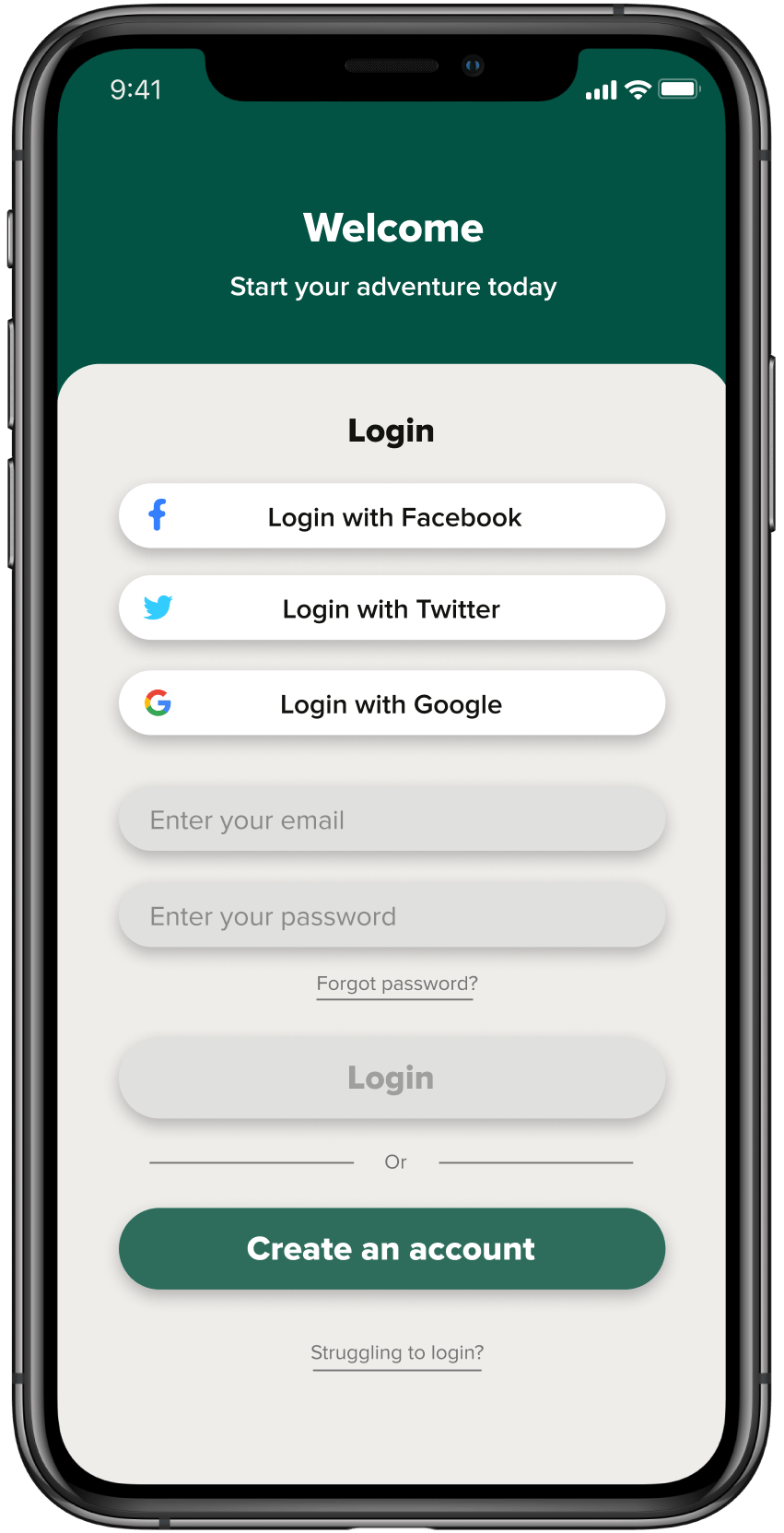
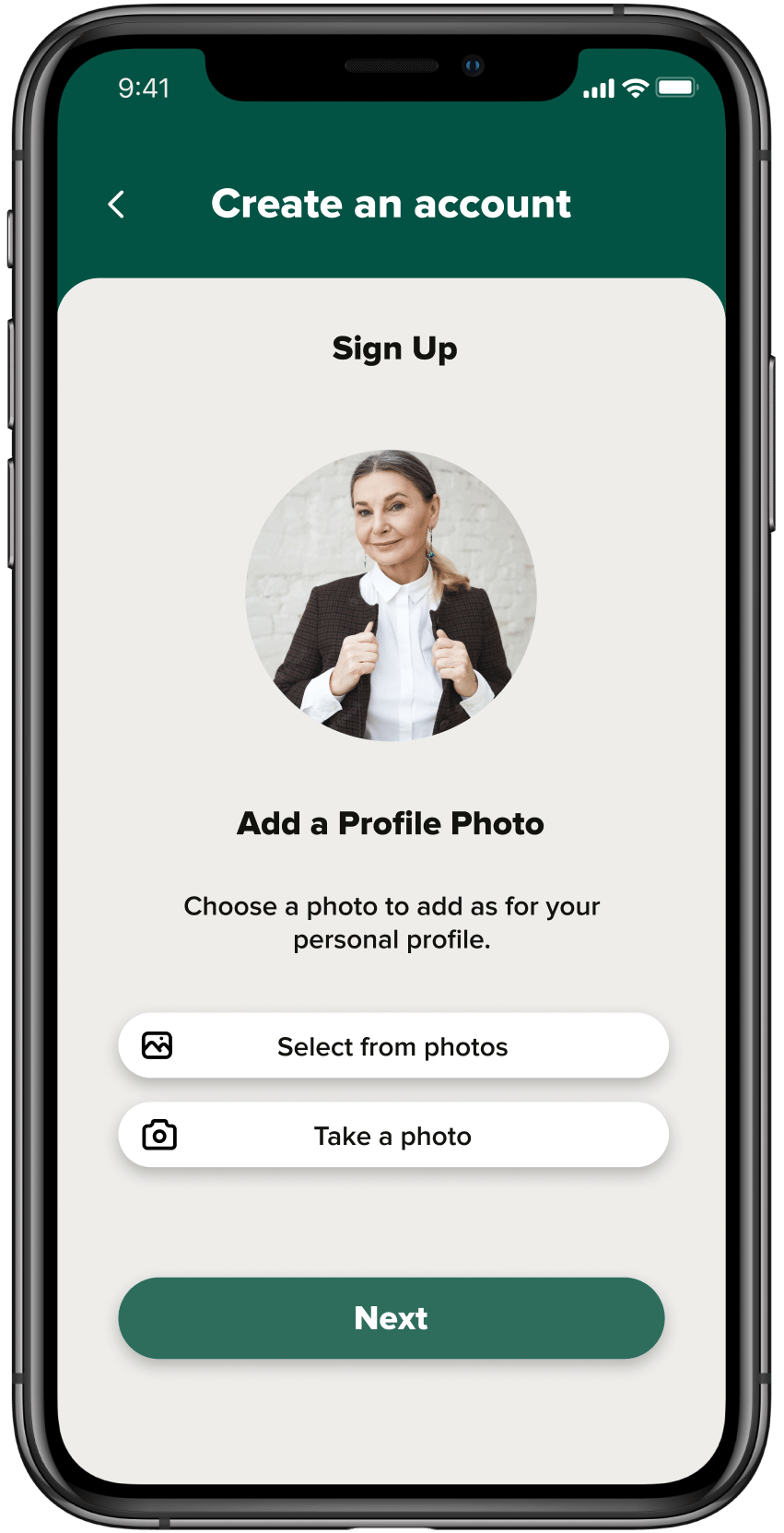
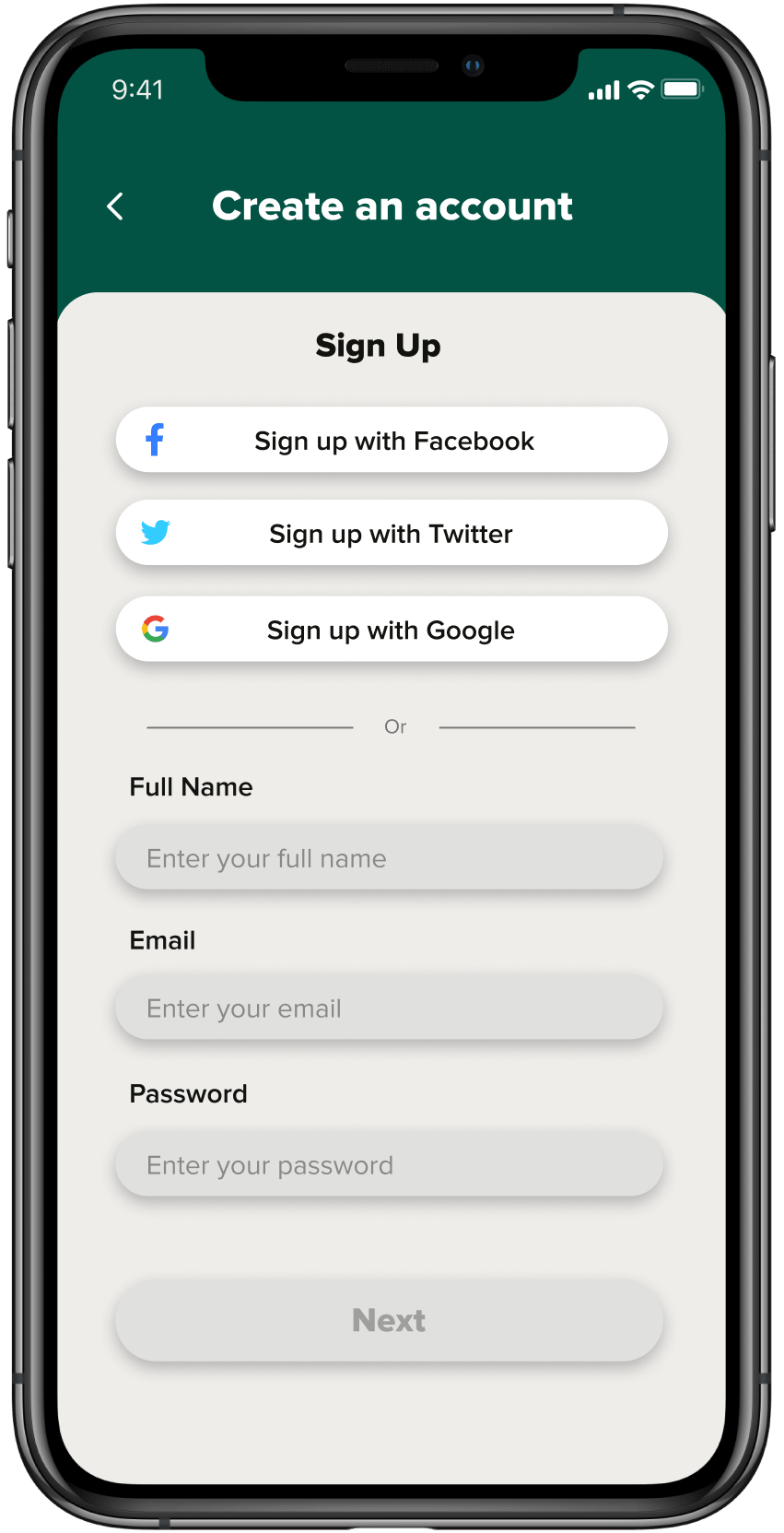
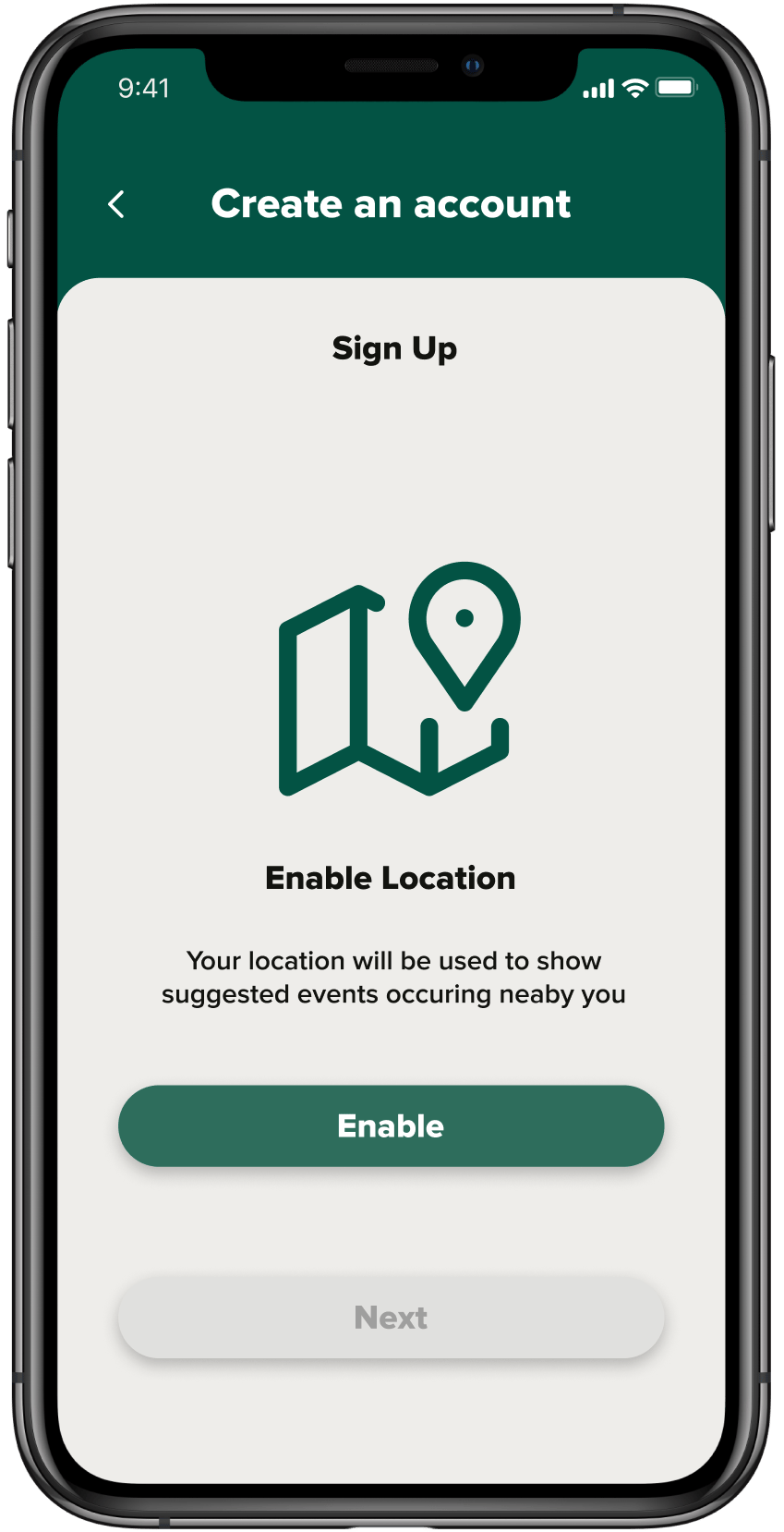
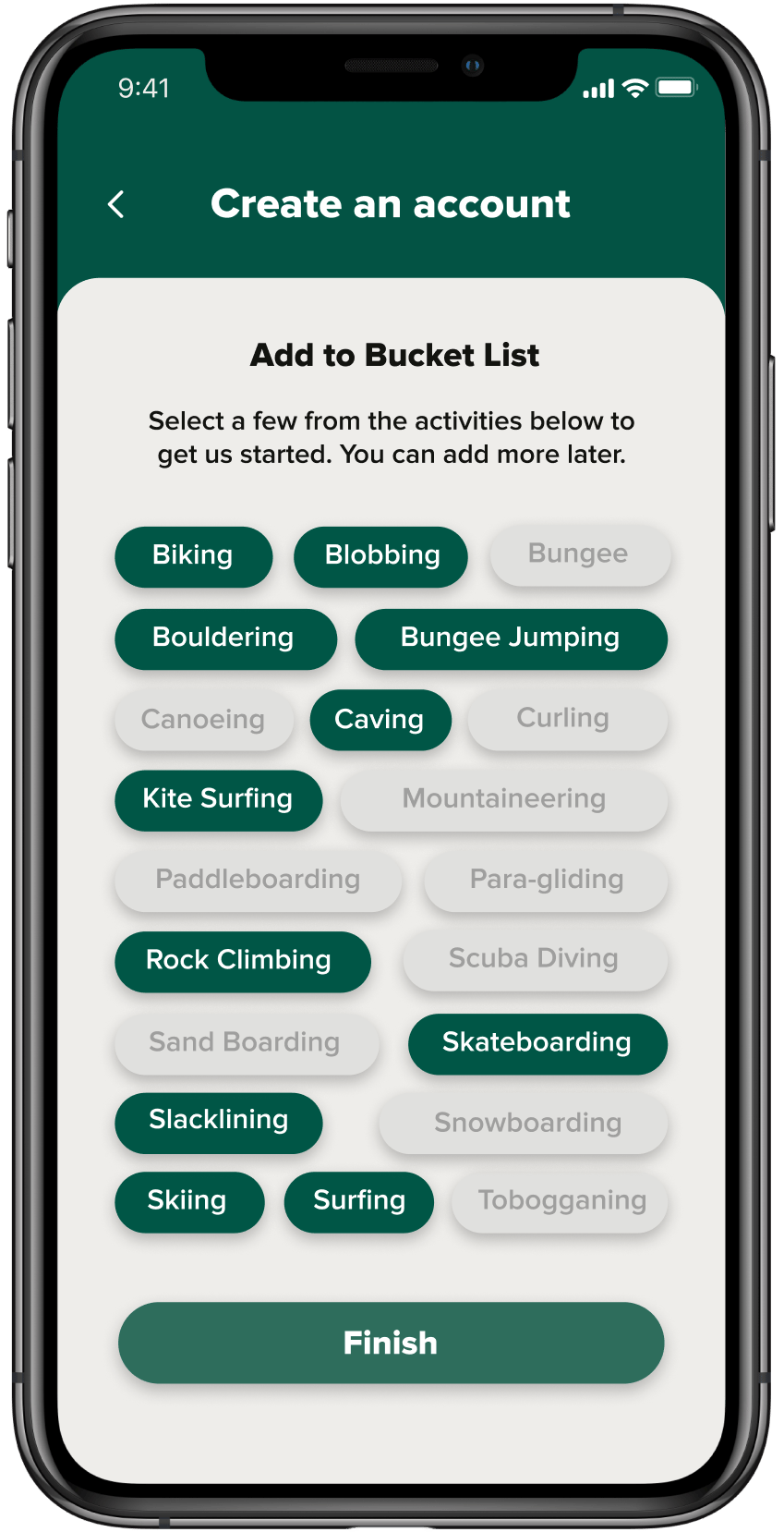
For the login and sign-up page of our application, our focus was on maximizing accessibility. We enabled users to log in using their existing Facebook, Twitter, Google, or Bucketlist app accounts for ease of access. In the case of users opting to register directly with us, our interface guides them to enter their full name, email, and password. Following this, users are prompted to upload a profile photo, enable location services, and proceed to a section designed for quickly adding items to their bucket list. This approach streamlines the sign-up process while ensuring users can immediately start personalizing their experience.
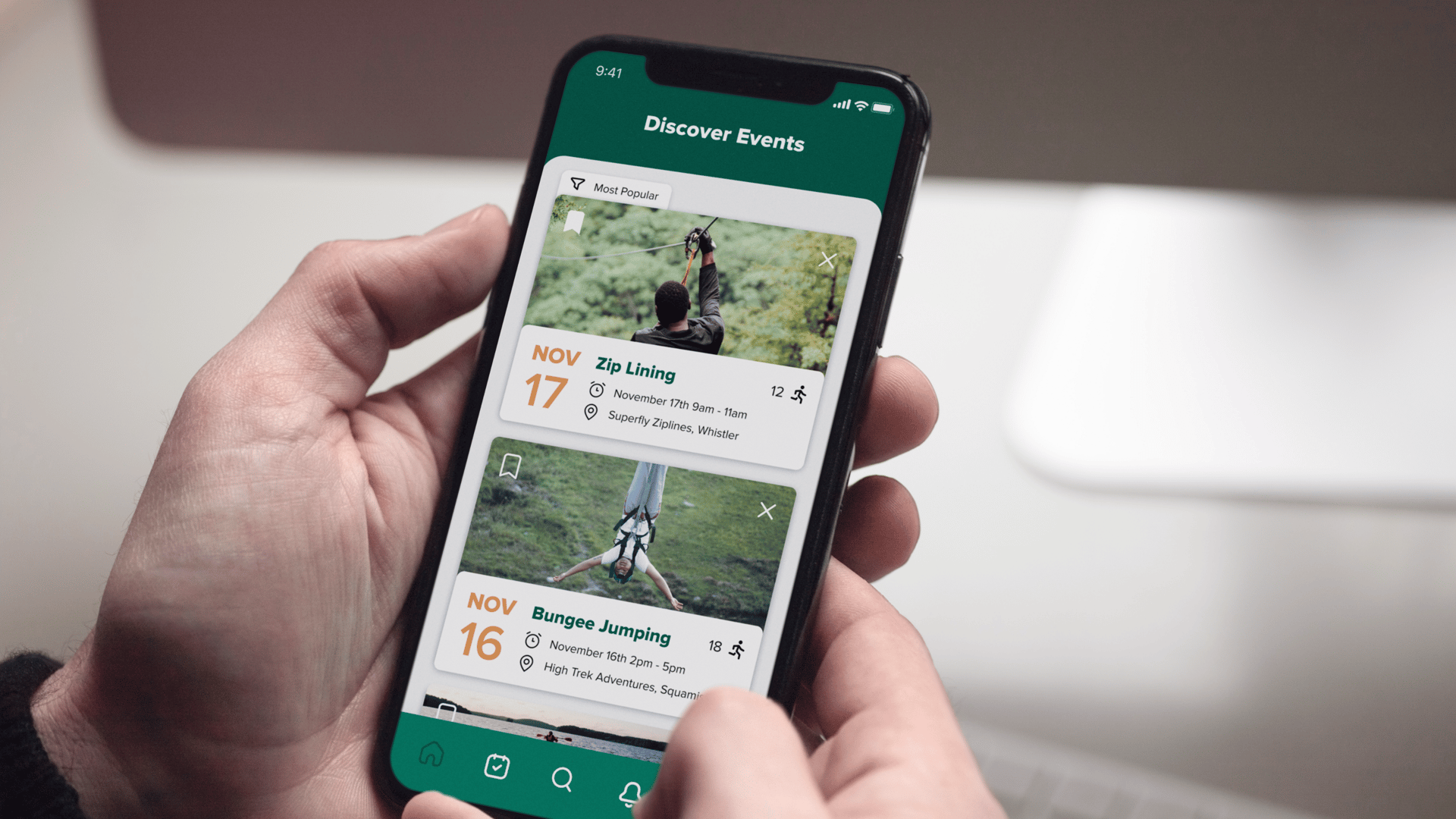
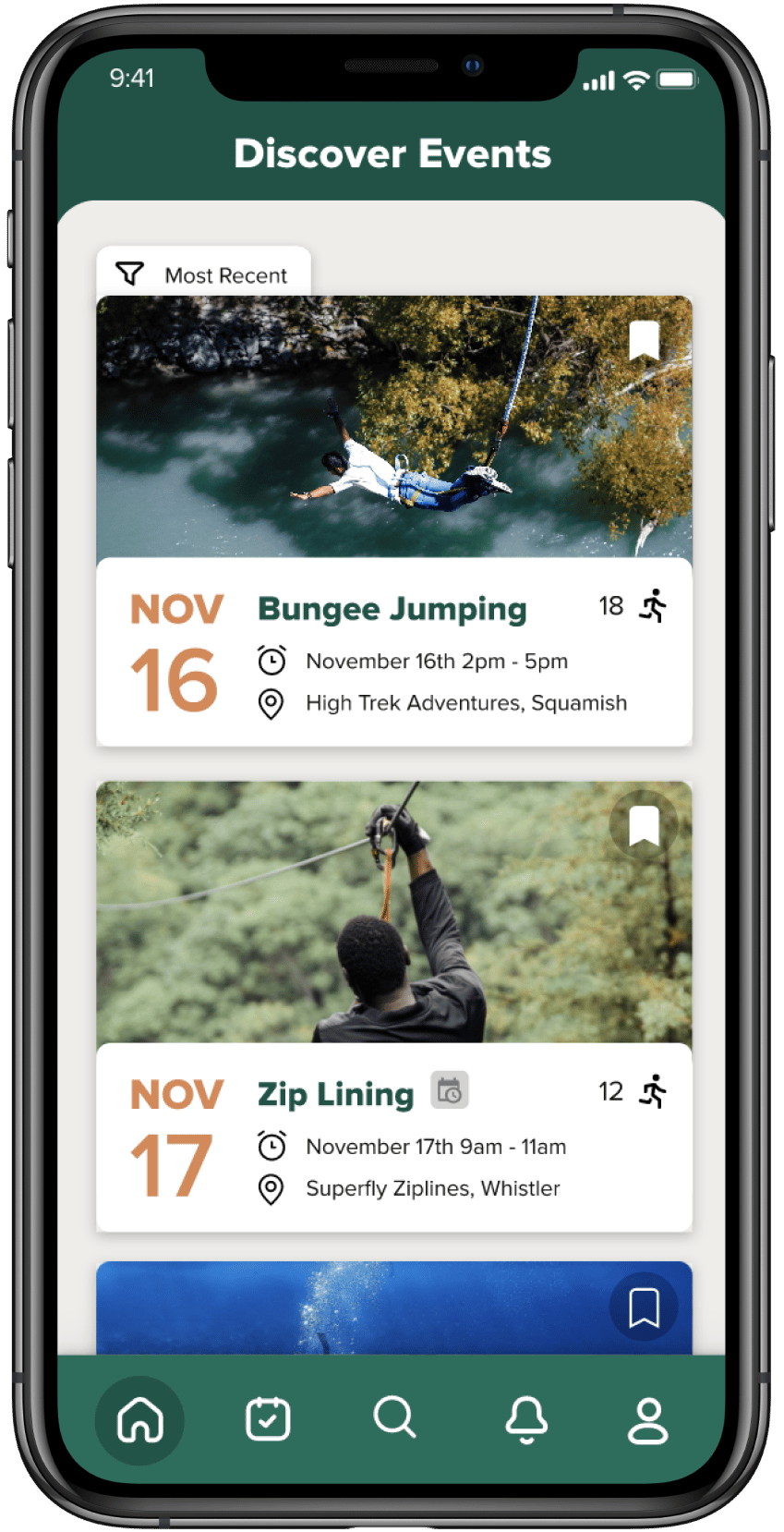
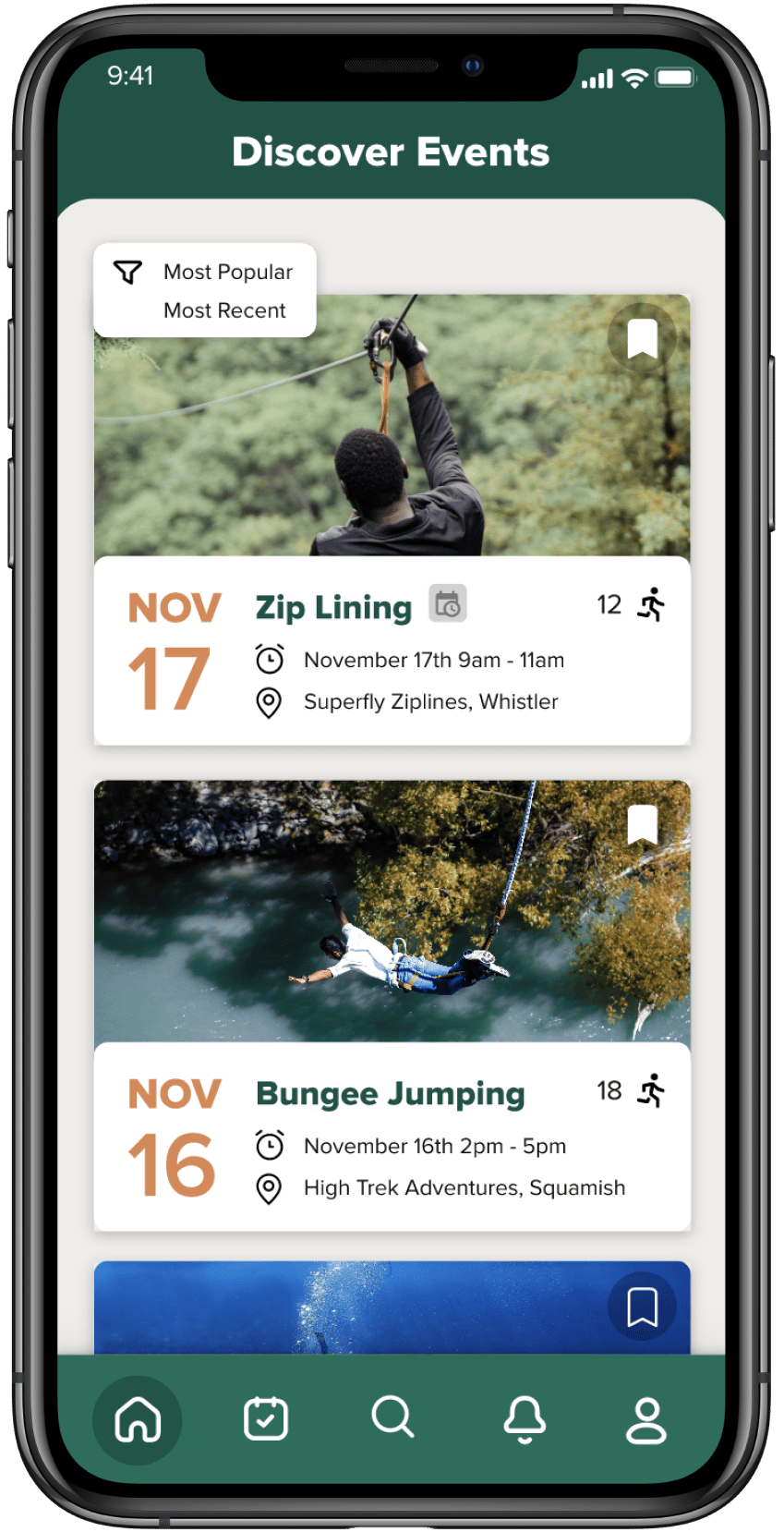
Our home page is meticulously designed to function as a central point for suggesting the most popular or most recently added activities in the user's vicinity. It offers a customizable experience, allowing users to sort activities based on their popularity or recency.
Each listed activity on the home page provides comprehensive details, including the event date, the activity's name, the scheduled time, its location, and the distance from the user's current location. This detailed information assists users in making informed decisions about which activities might interest them the most. Furthermore, for added convenience and future planning, users have the option to bookmark these activities. This feature enables them to easily add these activities to their bucket list at a later time, ensuring they don't miss out on experiences they find appealing. The home page, therefore, not only acts as a guide to local events but also as a personal planner for the users, aligning with their interests and proximity preferences.
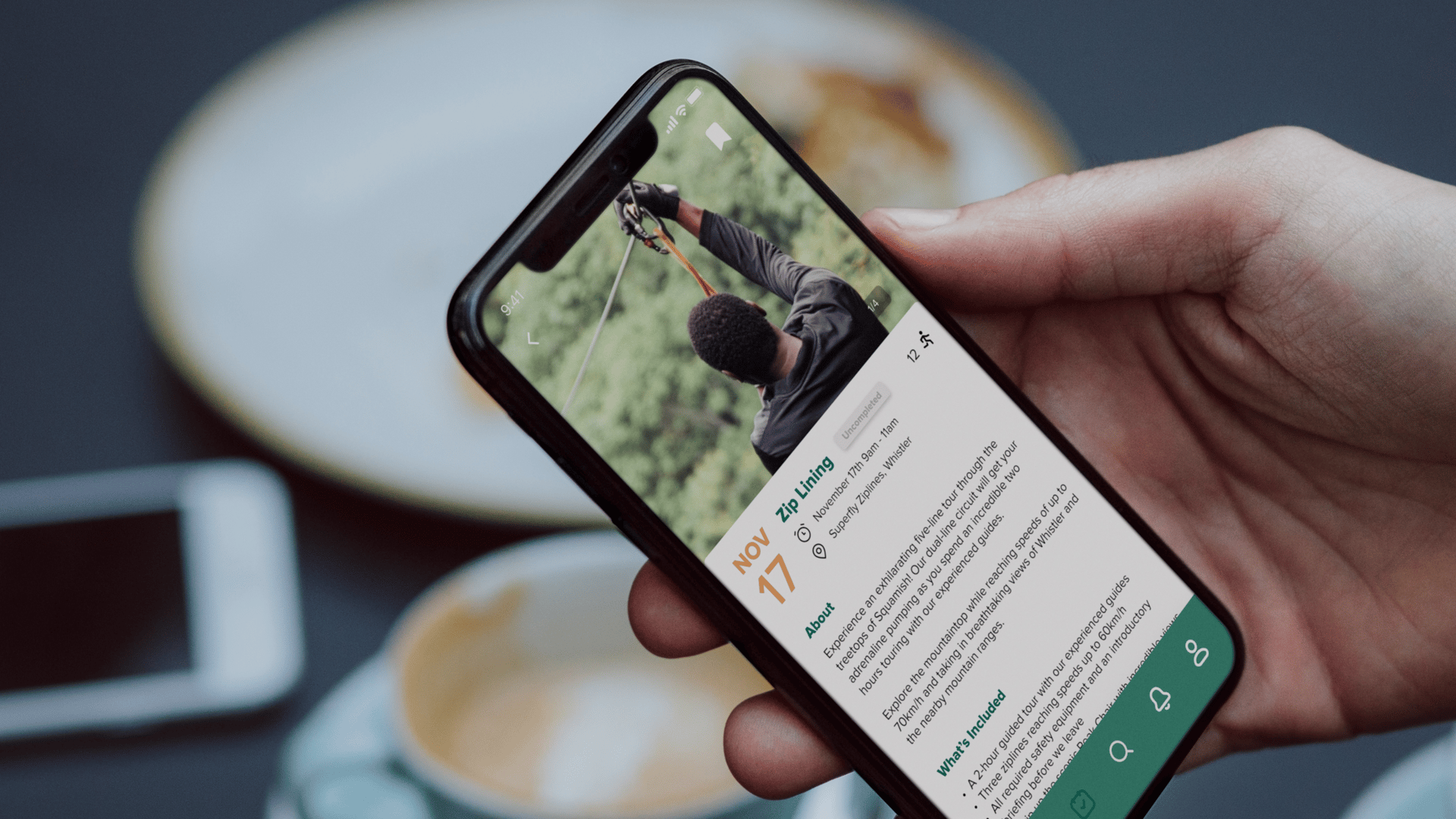
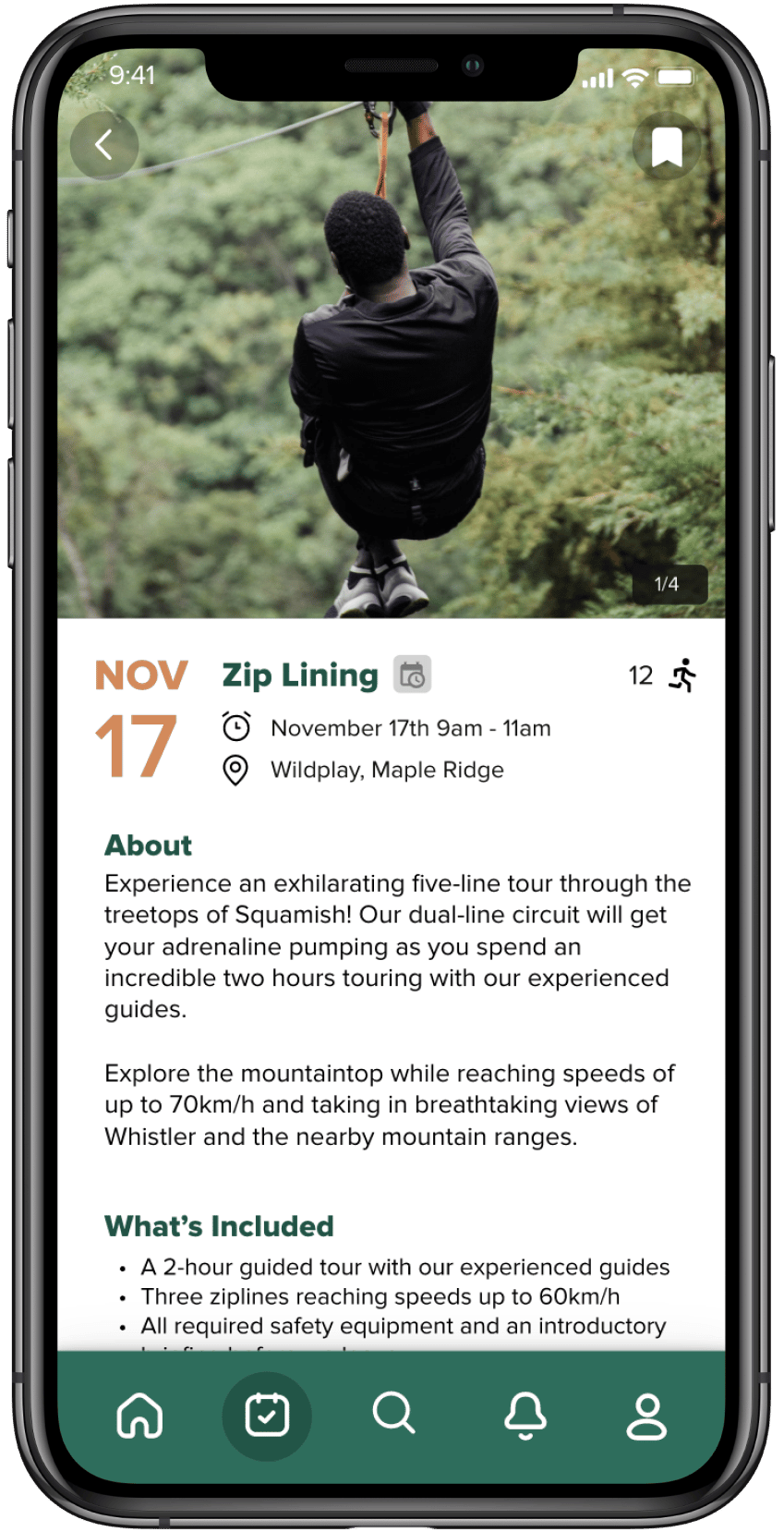
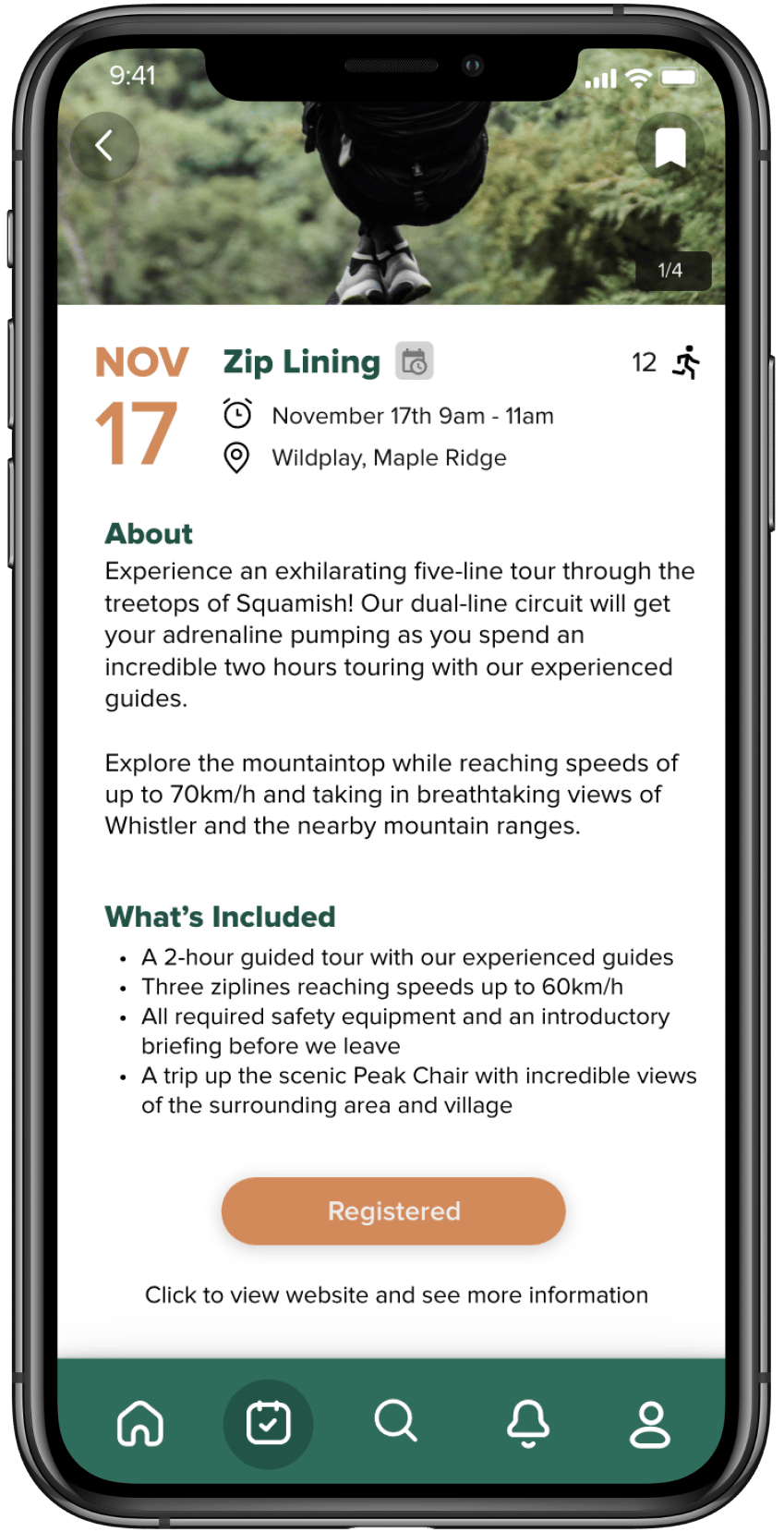
Upon selecting an event from the home page, the user is seamlessly directed to a dedicated page for that specific event. This page provides an in-depth look at the event, enriching the user's understanding and interest. Detailed information includes a comprehensive description of the event, a list of included activities, and a clear 'Register' button for immediate sign-up. Additionally, there's a direct link to the event's official website, offering further insights and the option for more detailed exploration.
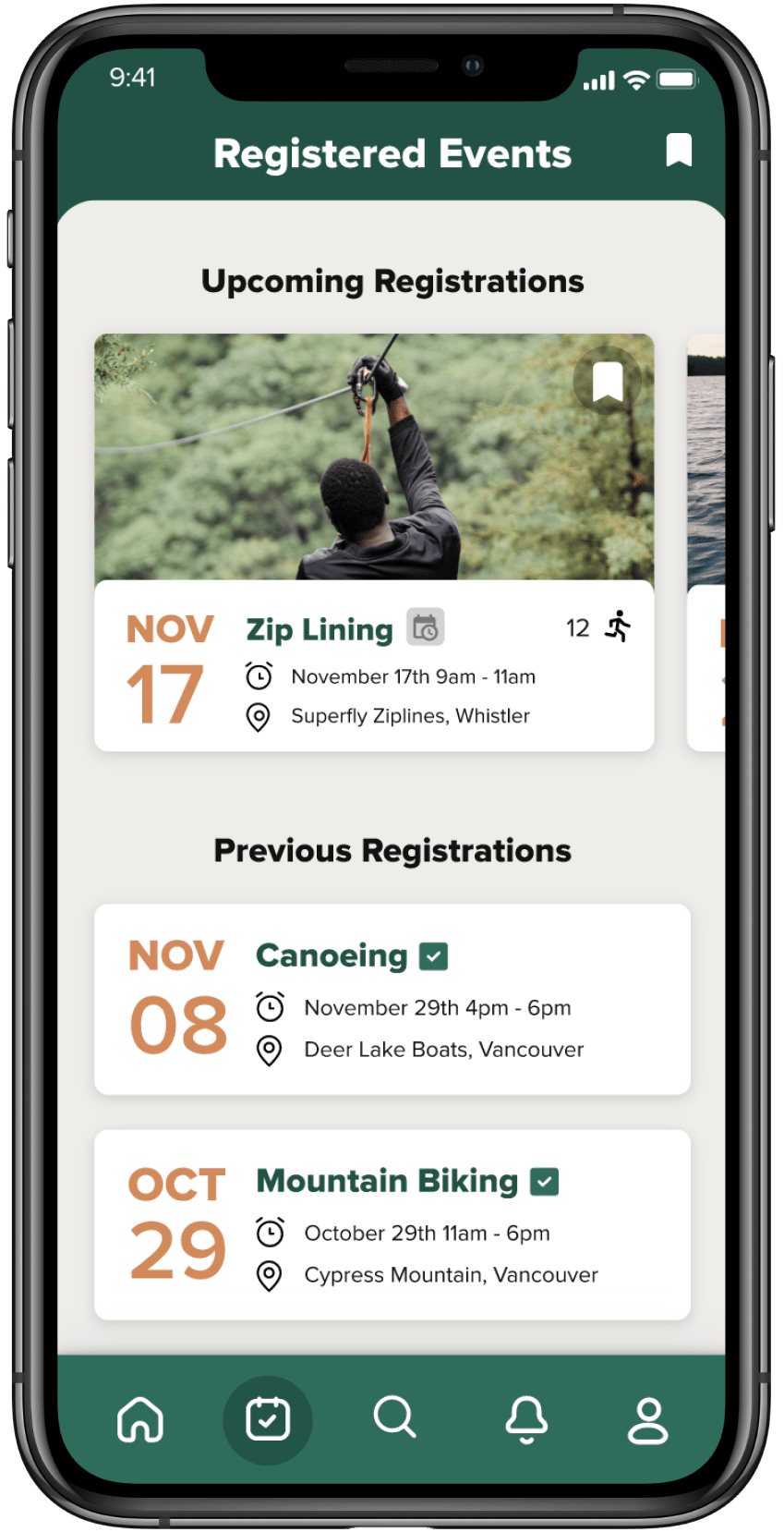
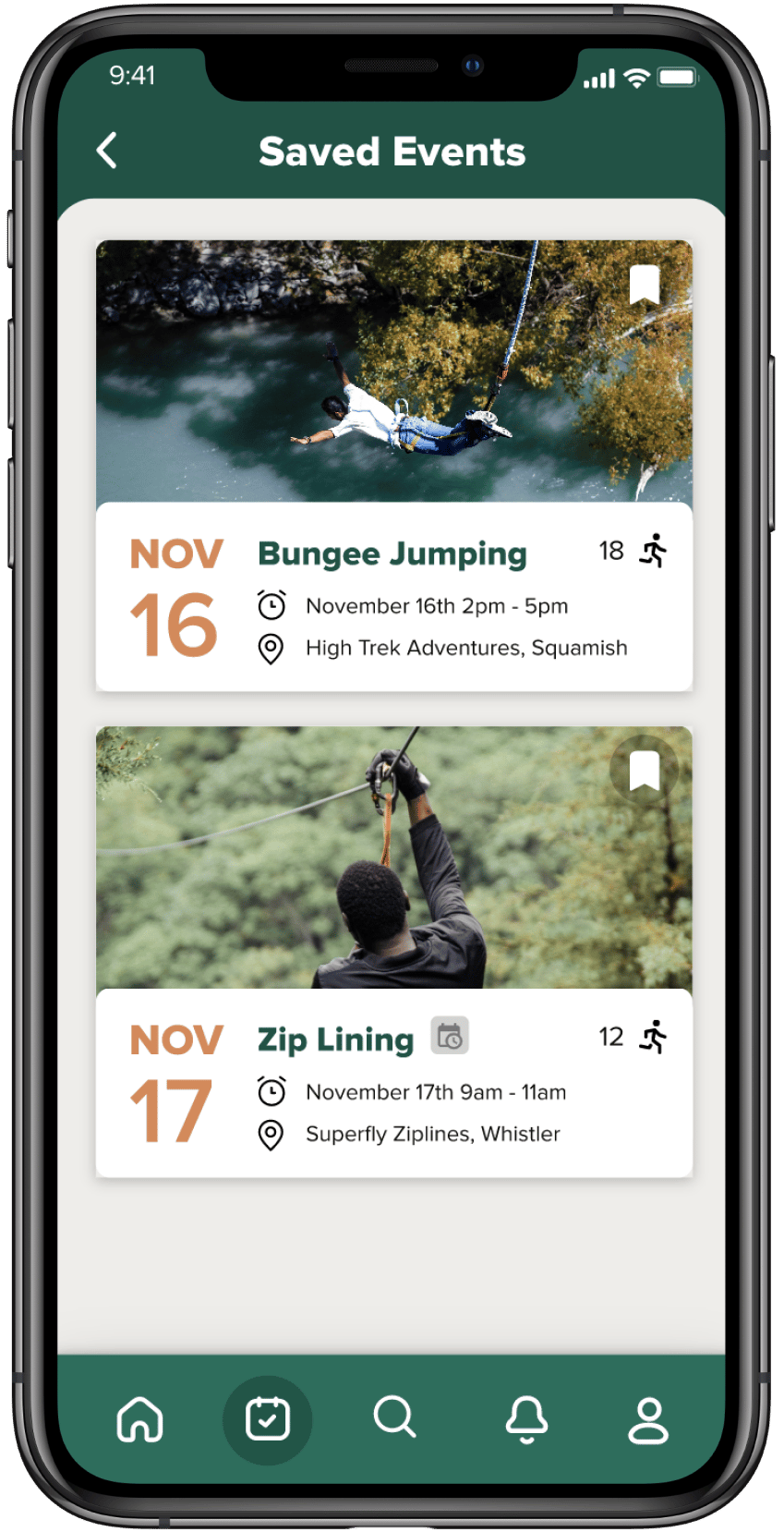
Furthermore, the app features a well-organized 'Registered Events' page. This section is meticulously designed to display a list of upcoming activities that the user has registered for, allowing for easy tracking and planning. It also includes a history of past registrations, enabling users to reflect on their experiences and possibly revisit similar events in the future. Another notable aspect is the 'Saved Events' page, where users can access events they previously bookmarked. This functionality is particularly useful for those who are interested in an event but are not ready to commit immediately, allowing them to save it for future consideration.
Login/Sign up
Home page
registered events page
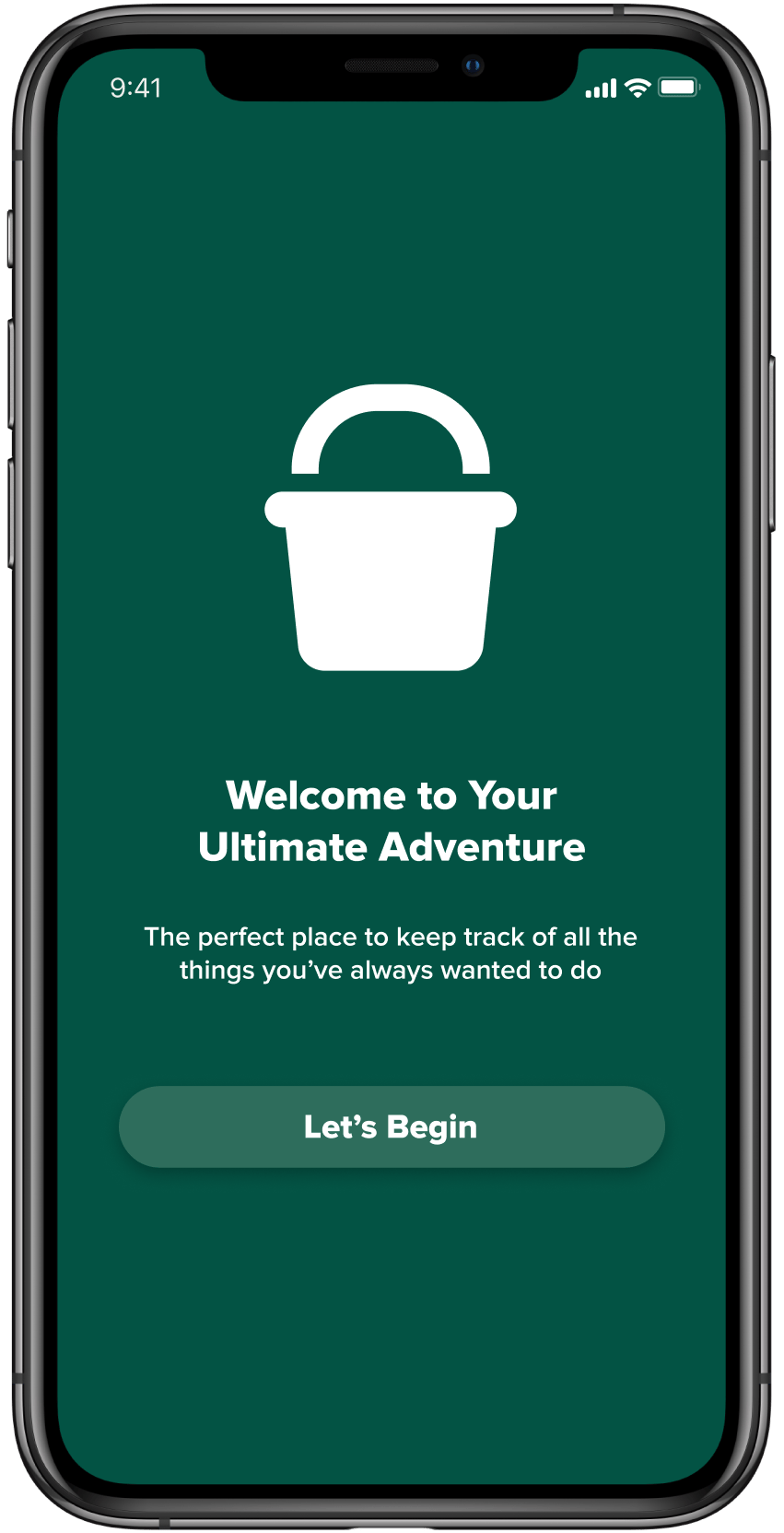
Starting page.
Sort by recency.
About event.
Registered events.
Notification page - 1/2.
Popular activities.
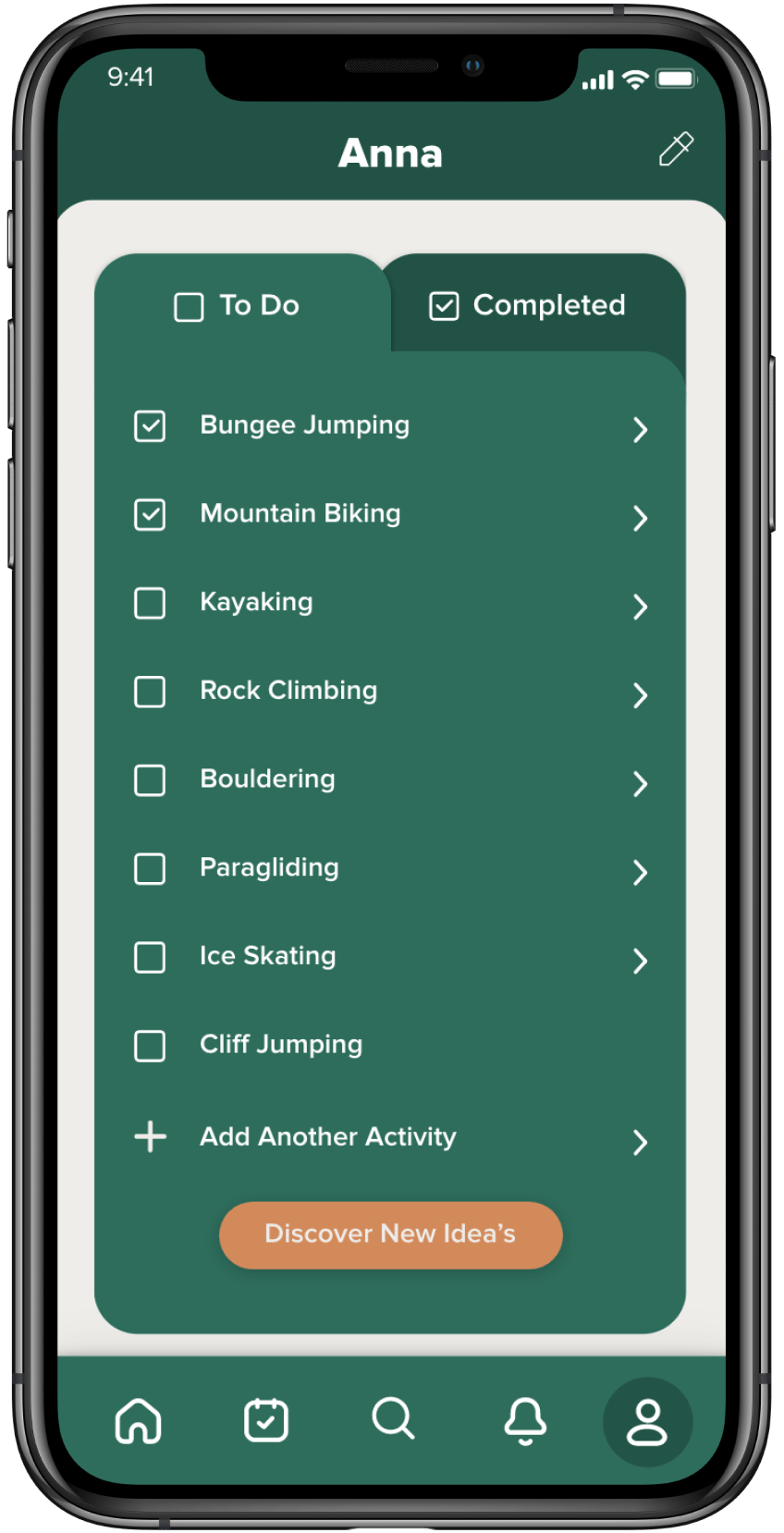
To do list - 1/2.
Settings page.
Activity search result - 1/2.
Activity search result - 2/2.
Local providers - 1/2.
Local providers - 2/2.
Winter activities.
To do list - 2/2.
Application mockups.
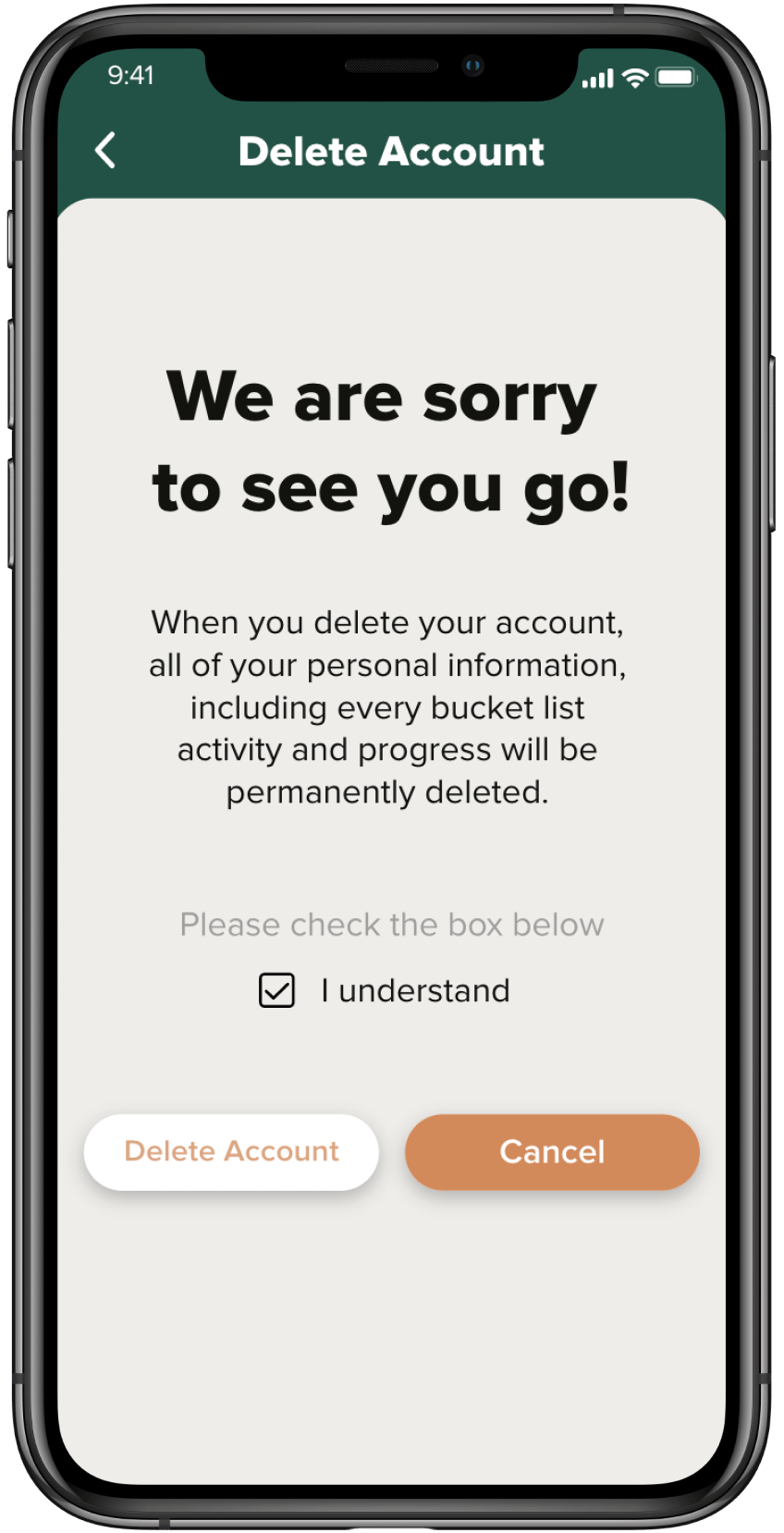
Account delete page.
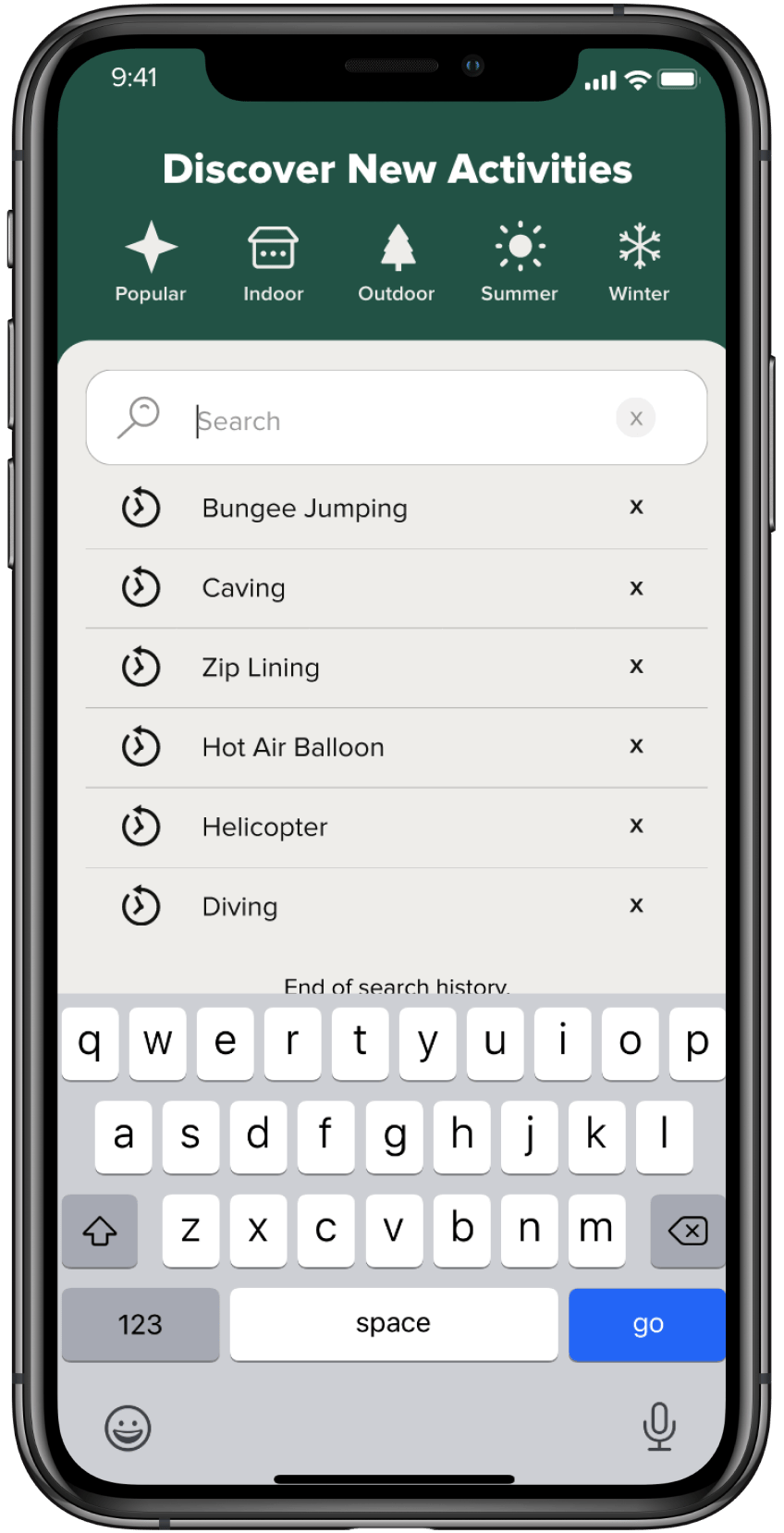
Search.
Completed list.
Sort by popularity.
More information about event.
Saved events.
Notification page - 2/2.
Log in page.
Sign up page.
Adding profile picture.
Enabling location services.
Selecting bucket-list activities
Challenges
One of the main challenges we encountered in this project was the difficulty in recruiting interview subjects to understand precisely what users need and desire. Given the uniqueness of our app concept - a bucket list app tailored to individuals, which doesn't have a direct counterpart in the current market - we had to rely heavily on primary research through interviews. Secondary research was less helpful due to the lack of similar existing applications.
To address this issue, we focused our efforts on interviewing potential users within our target age group of 65 to 75 years. This approach was aimed at gathering the most relevant and crucial data about their needs and preferences, which was vital for our application’s success.
Additionally, this project marked our initial foray into using Protopie for prototyping interactive designs. This was a significant learning curve, involving a lot of trial and error to achieve the desired outcomes. We encountered challenges in making our designs function as intended, which was a critical part of bringing our concepts to life.
Moreover, this was among our first projects designed using Figma, which presented its own set of challenges. As we were still familiarizing ourselves with the tool, our workflow and design organization were not as streamlined and efficient as they could have been. This lack of experience with Figma initially led to some disorganization in our design process.
what we would do differently
Reflecting on our approach, a key area for improvement would be to allocate more time to secondary research. Expanding our research beyond primary interviews would likely provide us with a broader understanding of the market and user expectations. Delving deeper into existing studies, market analyses, and case studies related to similar applications could offer valuable insights that might inform and enhance our design process.
Additionally, intensifying our efforts in user testing would be another significant change. This step is crucial for fine-tuning the user experience of our application. By engaging more extensively with potential users, conducting more iterative testing sessions, and gathering a wider range of feedback, we could refine and perfect our application's usability and functionality more effectively.
Given our growing proficiency with tools like Figma, especially as we progress to become senior design students, we recognize the potential for dedicating more time to develop our projects further. With increased familiarity and expertise in such powerful design tools, we could explore more advanced features and techniques, leading to more sophisticated and polished designs. This proficiency would enable us to experiment with more innovative layouts, interactions, and functionalities, pushing our projects to the next level.
In conclusion, this project has been a journey of significant learning and innovation in the field of UX/UI design, particularly tailored to enhance the lives of the elderly demographic. Throughout its development, we have navigated various challenges, from conducting targeted primary research to familiarizing ourselves with sophisticated design tools like Figma and Protopie. These experiences have not only honed our technical skills but also deepened our understanding of user-centric design. Our focus on creating an intuitive, accessible application that connects older individuals through shared interests and activities has underscored the importance of empathy and inclusivity in design. Looking forward, the insights and skills garnered from this project will undoubtedly shape our future endeavors, driving us to continually push the boundaries of what is possible in creating meaningful and impactful user experiences. This project stands as a testament to the potential of thoughtful design in making a positive difference in people’s lives, particularly in addressing the unique needs and aspirations of the elderly.
conclusion
UX Design
UI Design
Research
prototyping
2022
Persona 1: Dan Golin
Dan is an immigrant who struggles with English and recently moved to Canada to be with his daughter. He enjoys bike riding and socializing but struggles to make friends due to not speaking English.
Ethnicity: Ukrainian
Age: 69 Years
Persona 2: Jeanne Beurskens
Jeanne is a recent widow who just lost her husband and has lived in BC for many years. She loves to travel but no longer has her husband to travel with and wants new companions to travel with.
Ethnicity: Dutch
Age: 72 Years
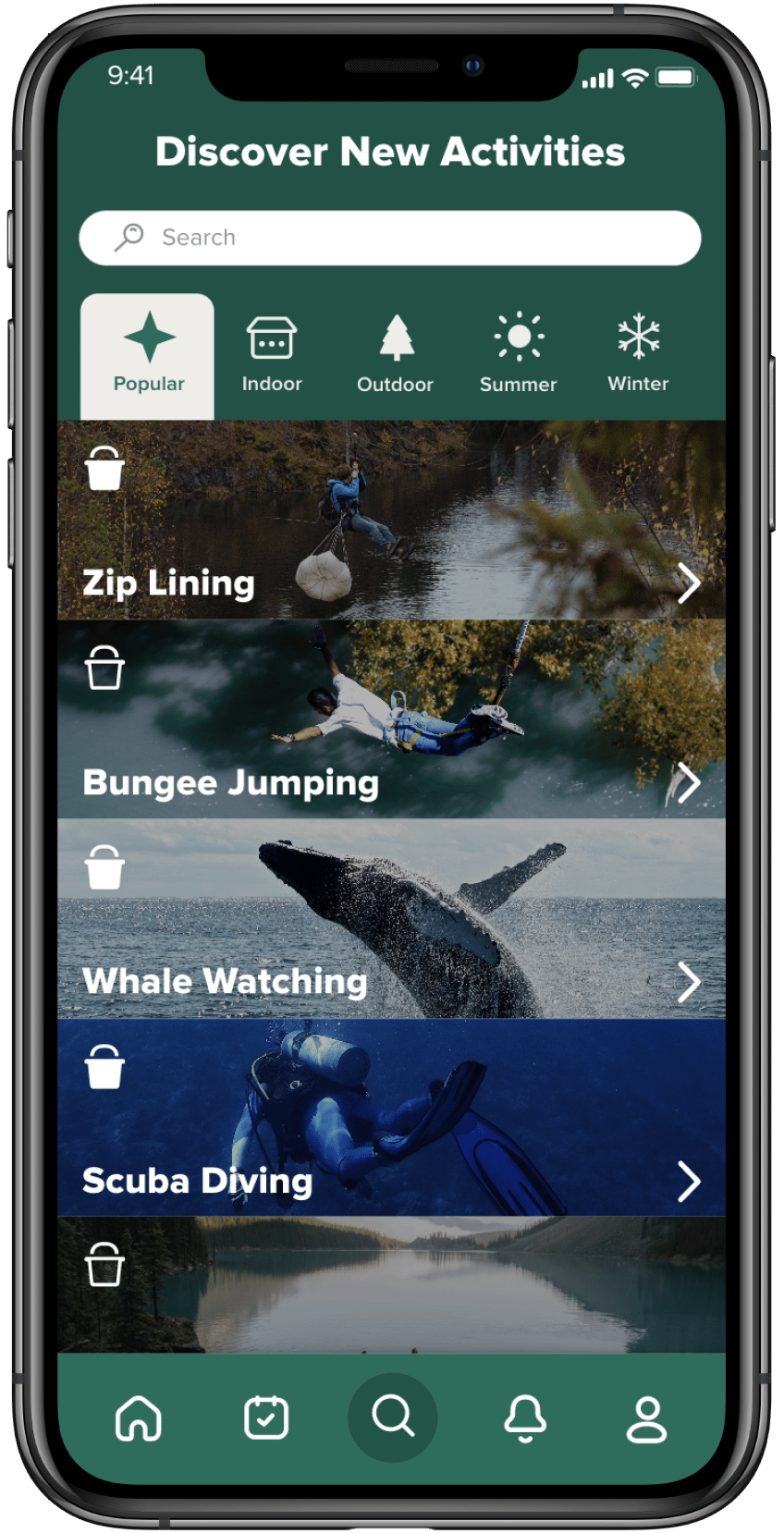

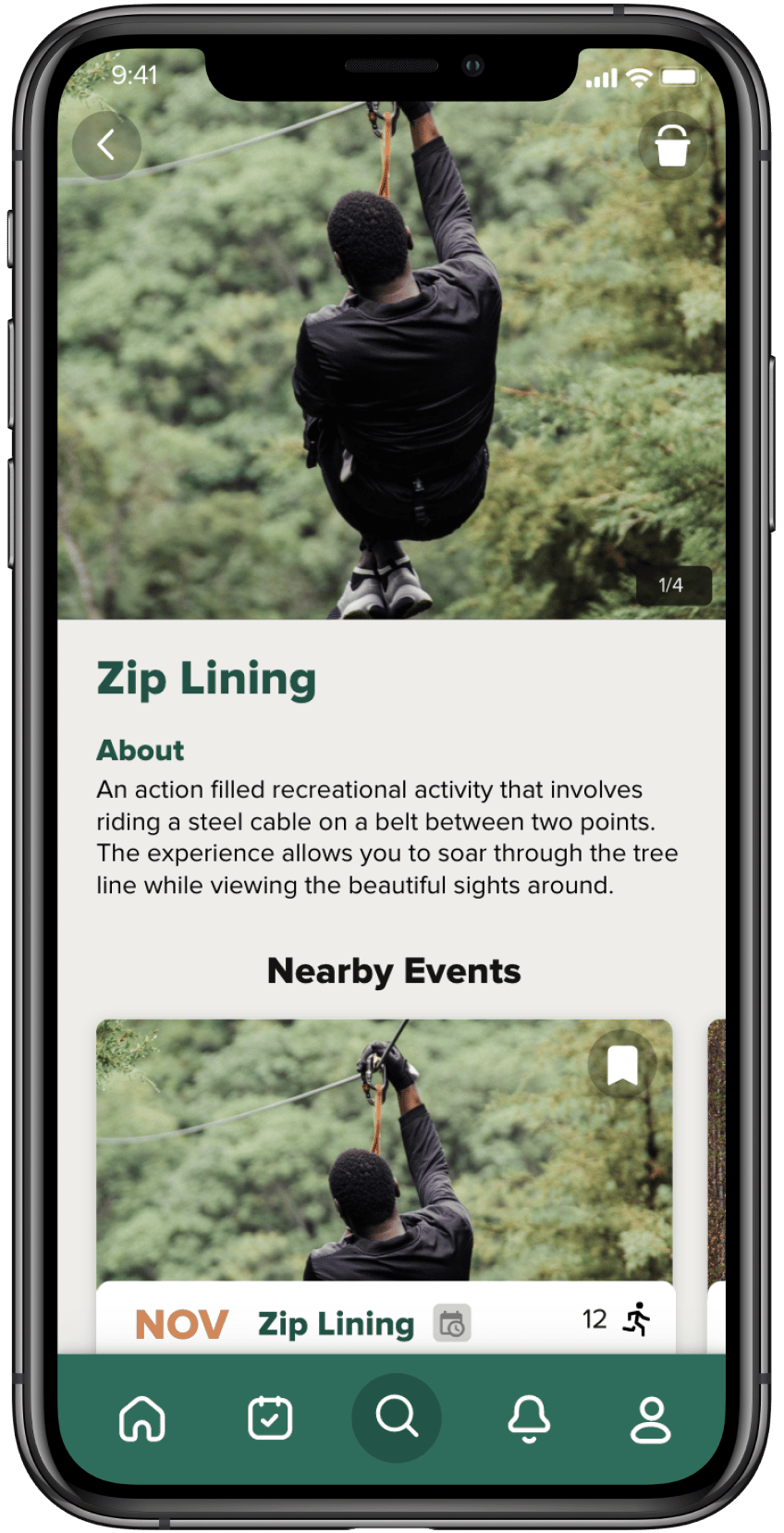

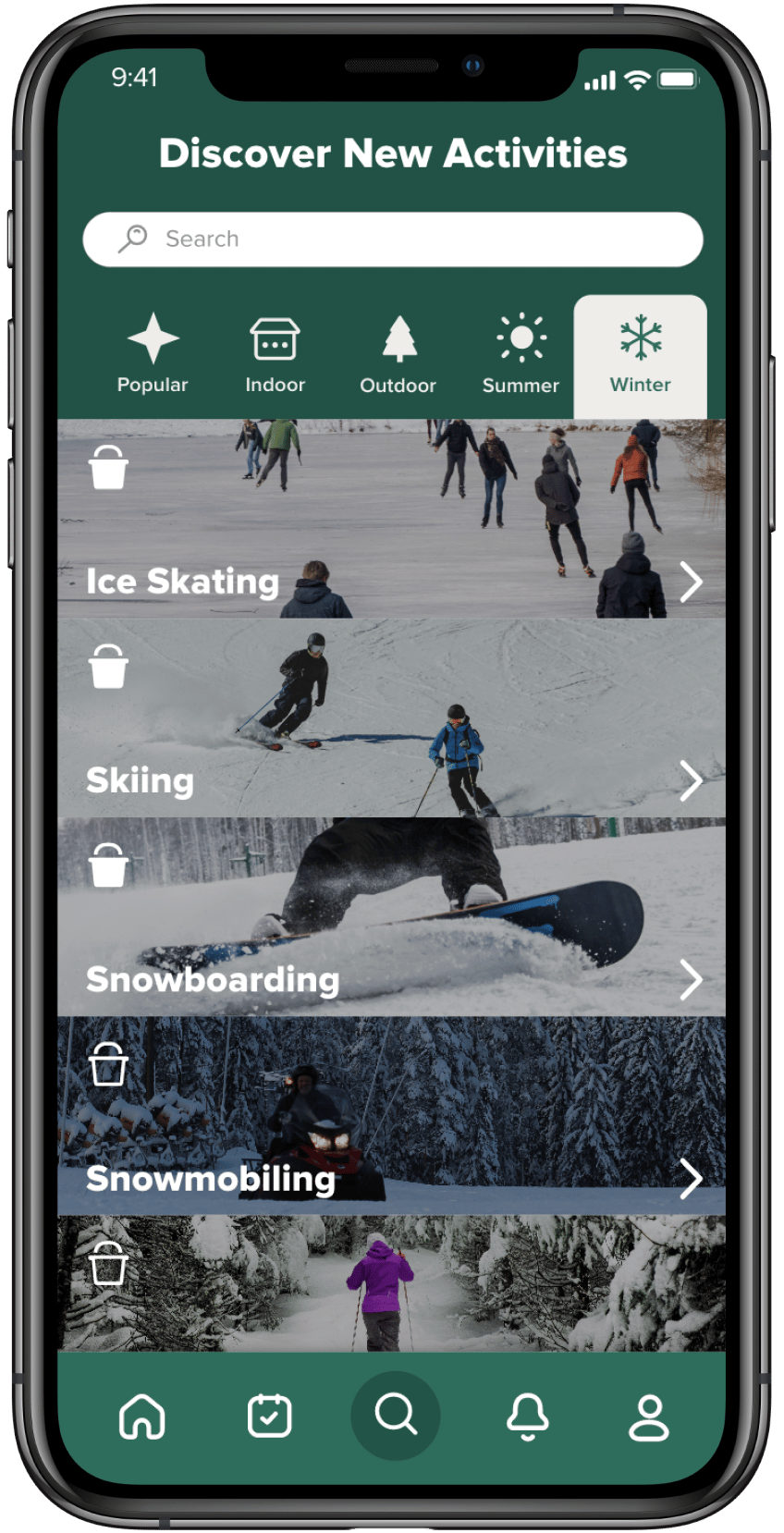
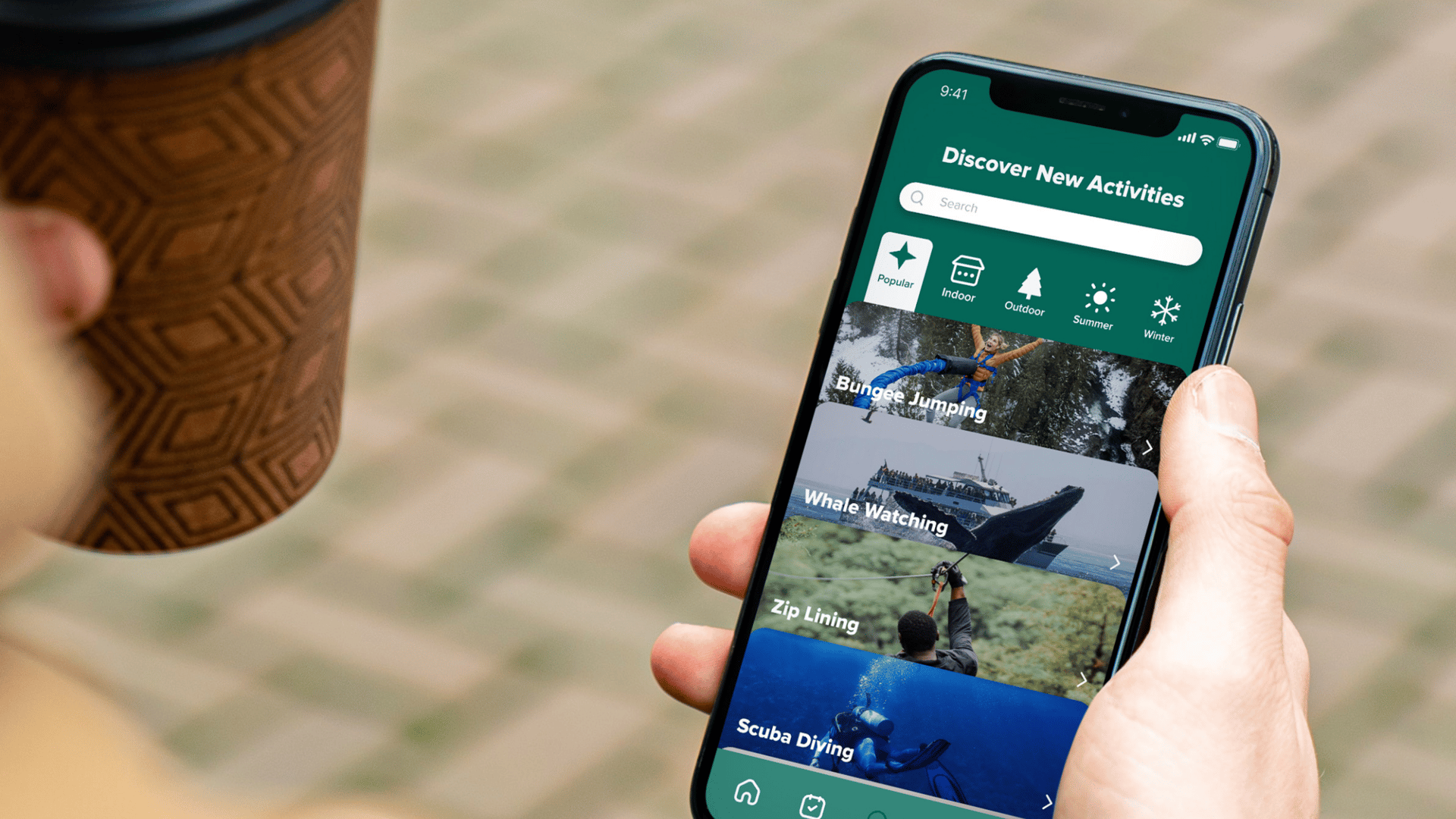
The search page, titled 'Discover New Activities', is meticulously crafted to cater to diverse user preferences and seasonal interests. It's systematically organized into several categories, including popular, indoor, outdoor, summer, and winter activities. This categorization allows users to effortlessly navigate through a wide array of options and find activities that align with their interests or the current season. Adding these activities to one's bucket list is made incredibly user-friendly; a simple tap on the bookmark icon adjacent to each activity instantly saves it for future reference.
The page is further enhanced with a robust search bar functionality. This feature is designed for users who have a clear idea of what they're looking for and wish to search for a specific activity directly. When a search is initiated, the app doesn't just present a list of related activities. It goes a step further by displaying relevant nearby events and pinpointing local businesses that offer the searched-for service. This dual approach ensures that users are not only aware of individual activities but also have access to comprehensive event listings and service providers in their vicinity.
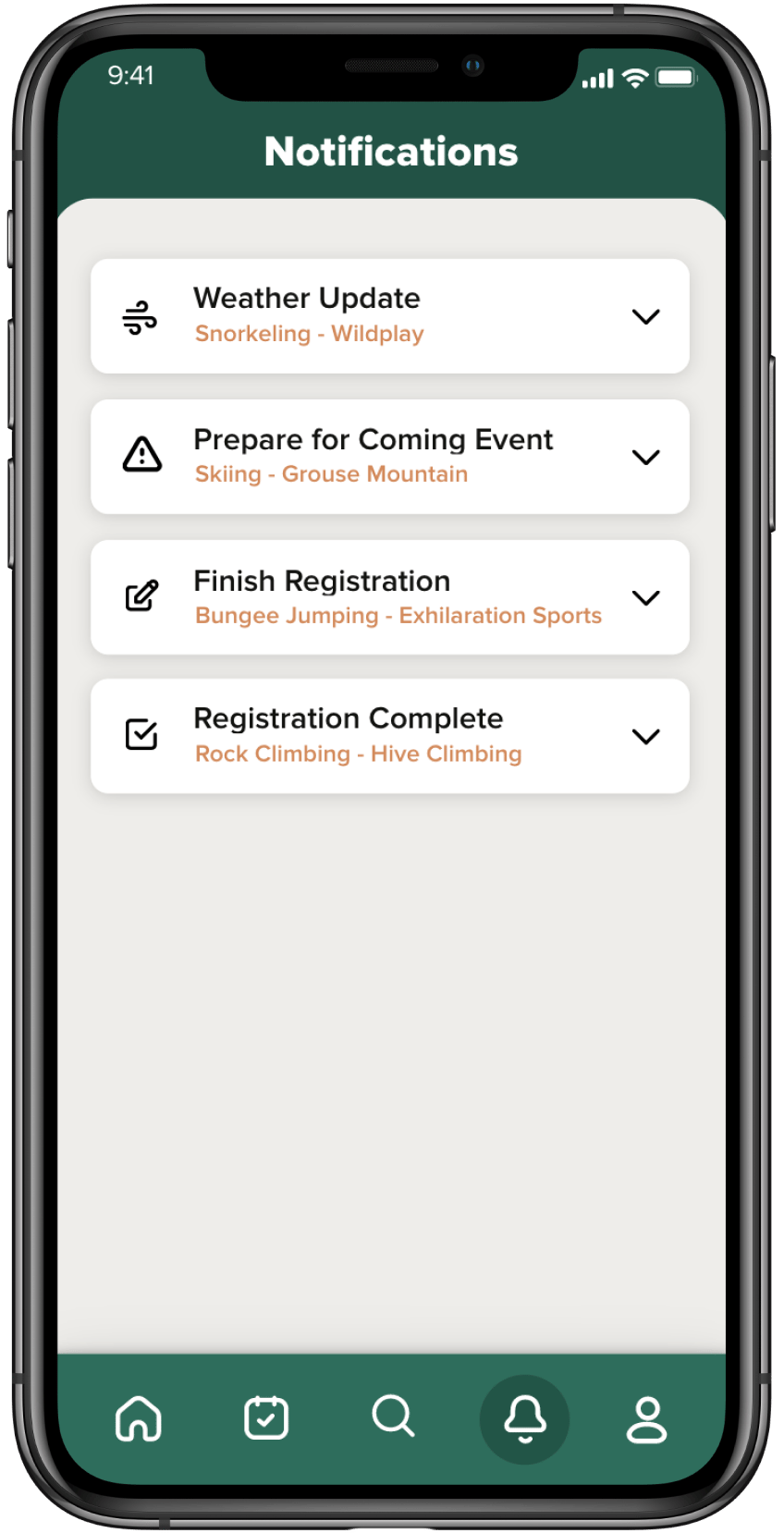
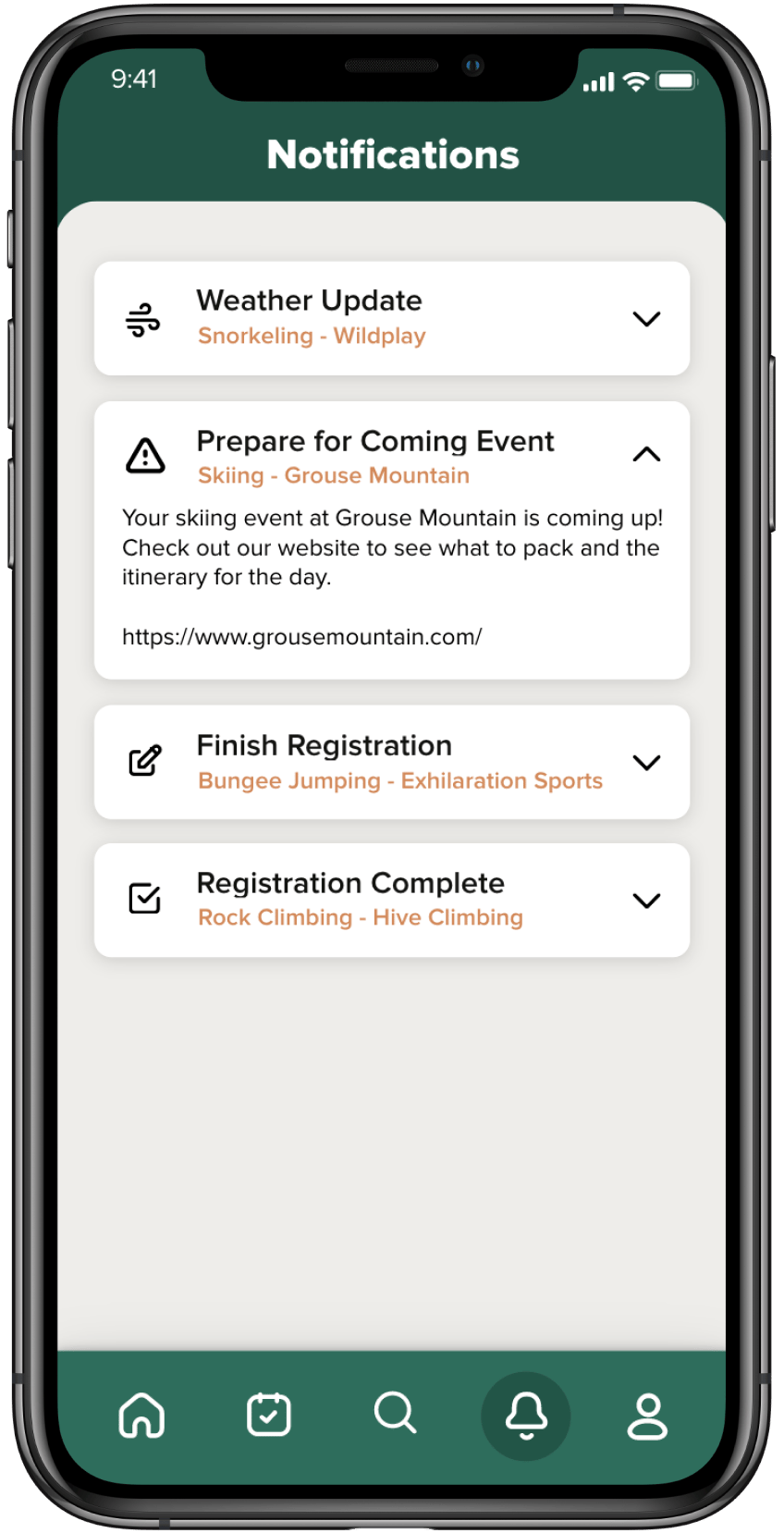
The notification page in our application is designed as a central hub for keeping users informed and prepared for their upcoming activities. This feature-rich page offers several key updates and reminders to enhance the user experience:
1.Weather Updates: For each upcoming activity, the notification page provides timely weather updates. This feature is especially useful for outdoor events, helping users plan their attire and necessary gear according to the forecasted weather conditions.
2.Preparation Tips: It also offers practical advice on what to prepare for the upcoming events. Whether it's a reminder to bring specific equipment for a hiking trip or a suggestion to carry sunscreen for a day at the beach, these tips ensure users are well-prepared for their activities.
3.Registration Reminders: The page sends reminders about event registrations, prompting users to complete their registration for events they've shown interest in. This helps in avoiding missed opportunities due to forgotten deadlines or overlooked events.
4.Registration Confirmation: After successfully registering for an event, users receive confirmation notifications. These confirmations serve as a record of their registered events and provide peace of mind that their participation is secured.
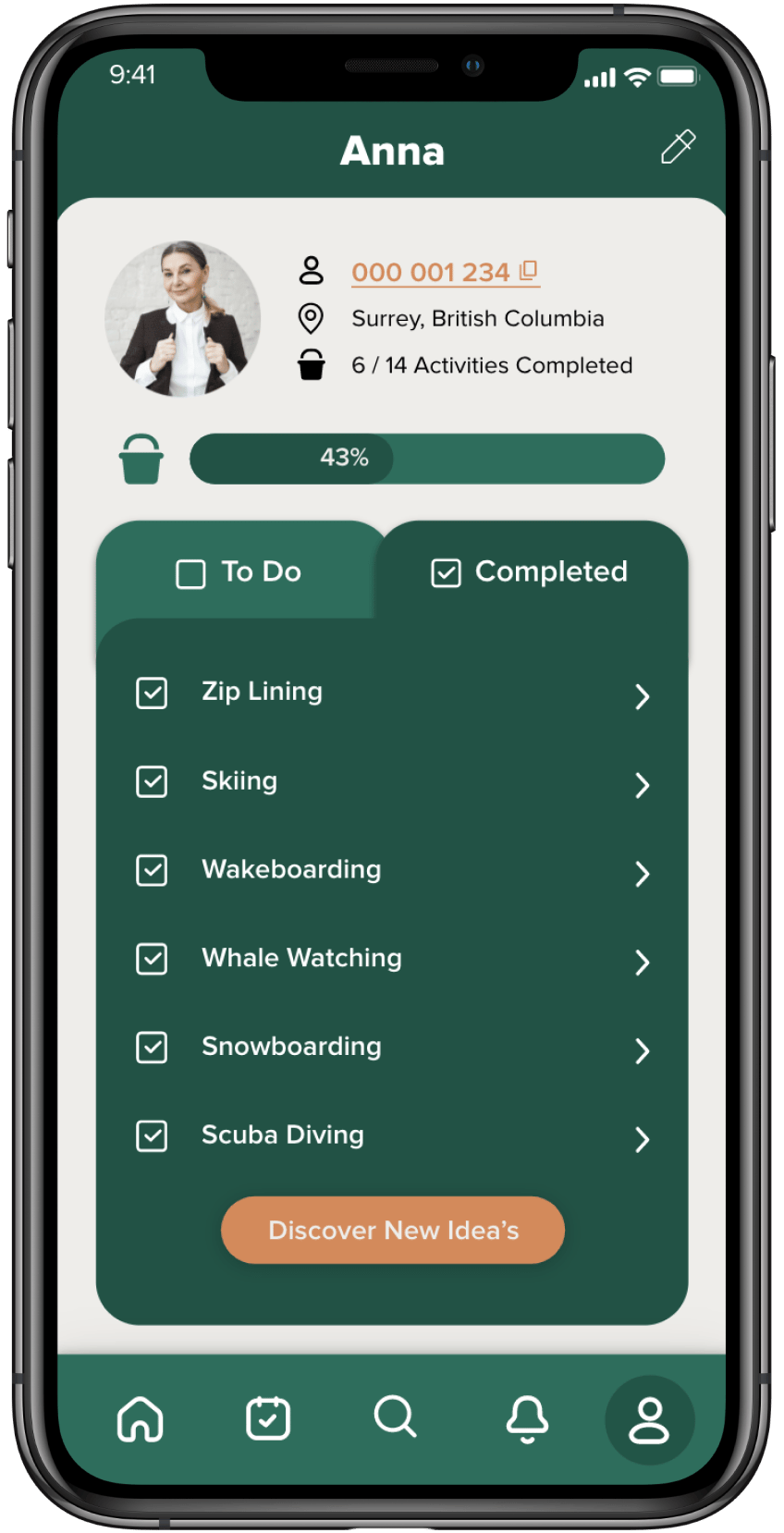
The profile page in our application serves as a dynamic space for users to manage their personal bucket list, which is split into 'To Do' and 'Completed' sections. This feature allows users to keep track of the activities they aspire to do as well as those they have already accomplished. Understanding that our users might engage in activities through third-party apps or outside our platform, we've incorporated the flexibility for them to manually check off activities. This ensures that their bucket list is a comprehensive reflection of all their experiences, irrespective of where or how these activities are arranged.
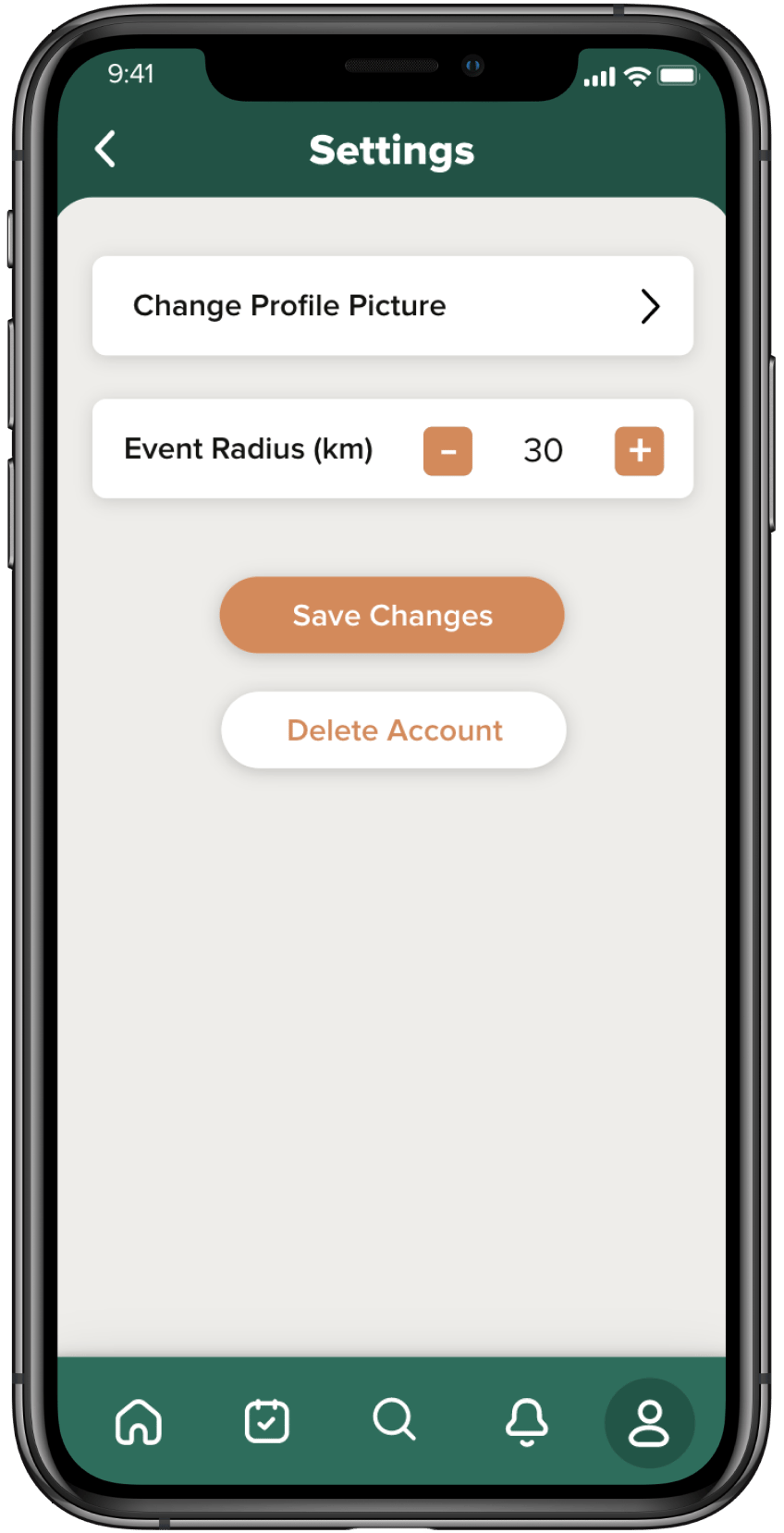
In the realm of personalization, the settings page within the profile is a crucial element. Here, users can update their account details to keep their profile current. A significant feature of this page is the ability to set the travel radius for activity suggestions. This customization is key to tailoring the experience for each user, as the activity suggestions they receive are aligned with their preferred travel distance. By offering this level of customization, we aim to provide an optimal user experience, ensuring that the activities suggested are both desirable and practical for the user.
Acknowledging the importance of user autonomy and convenience, we've made the process of account deletion straightforward and easily accessible. Located at the bottom of the settings page, this feature allows users to delete their account effortlessly should they choose to leave the platform. This design choice underscores our commitment to providing a user-friendly experience that respects our users' decisions, ensuring that they can easily opt out of the service without any hassle or complications.
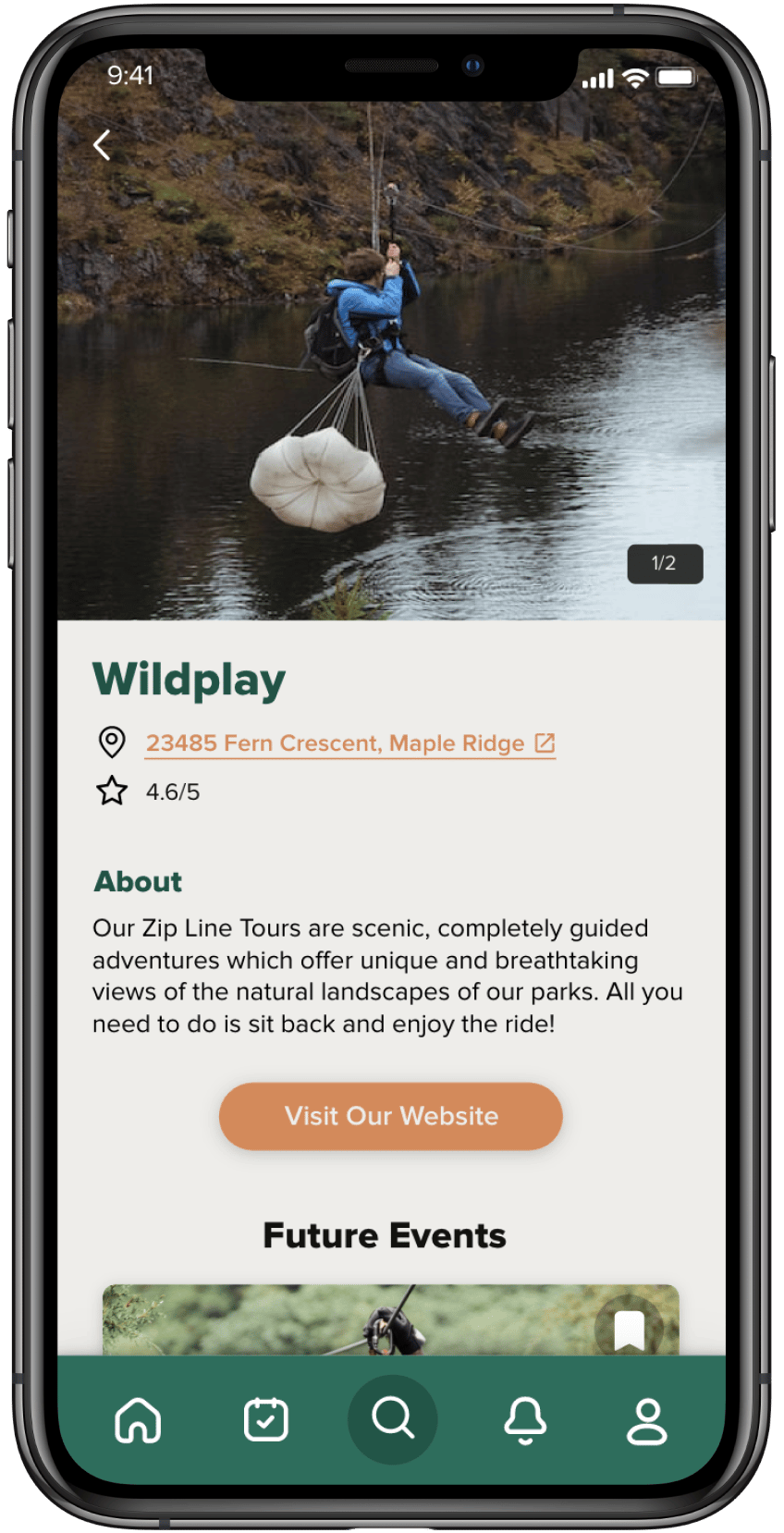
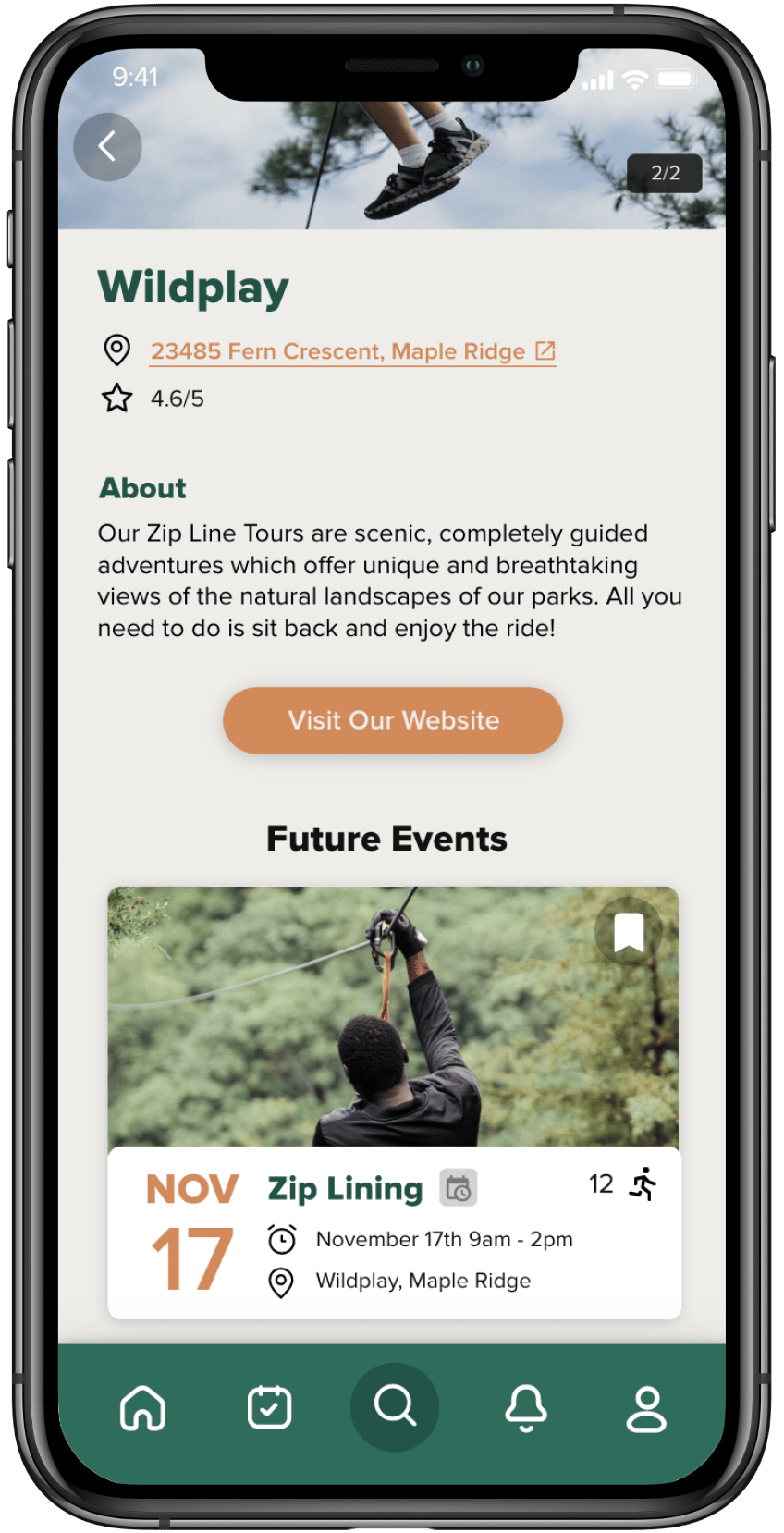
Delving deeper, when a user selects a particular business or location from the search results, a detailed profile of the selected entity appears. This profile includes essential information such as the business's address, a user-based rating out of 5, and a direct link to the business's website for more in-depth information. Additionally, the profile provides a schedule of events that the business is hosting in the near future, allowing users to plan their participation in activities they find appealing.
This combination of intuitive categorization, efficient search functionality, and comprehensive business profiles makes the 'Discover New Activities' section a powerful tool for users looking to enrich their leisure time with new and exciting experiences. It ensures that the process of discovering, evaluating, and planning participation in activities is as seamless and enjoyable as the activities themselves.
search page
notification page
Profile page
Mockups